
Nijia
Inspect Mac storage and review cleanup before changes
Screenshots

Paid
Utility
DevTool
Desktop App
Built with Tauri
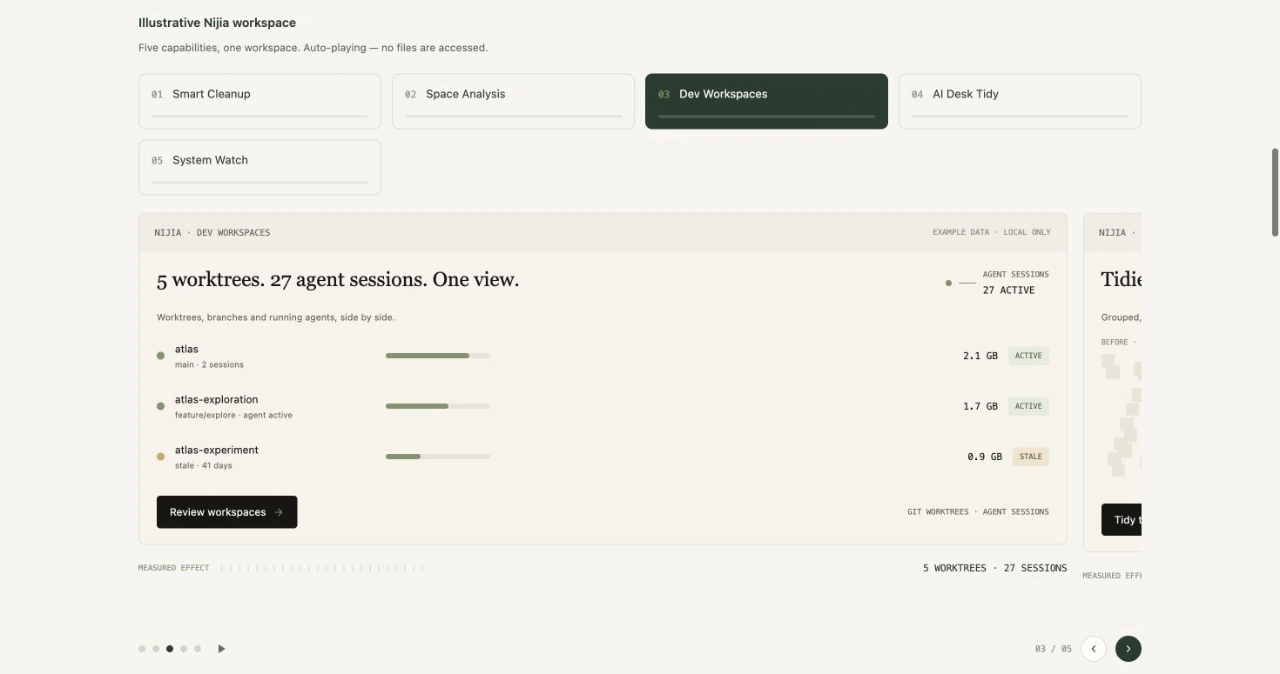
TauriNijia helps Mac users understand storage and developer workspaces before making changes. Space Analysis shows disk usage, while Dev Workspaces inspects authorized project folders, Git worktrees, caches, and build artifacts.
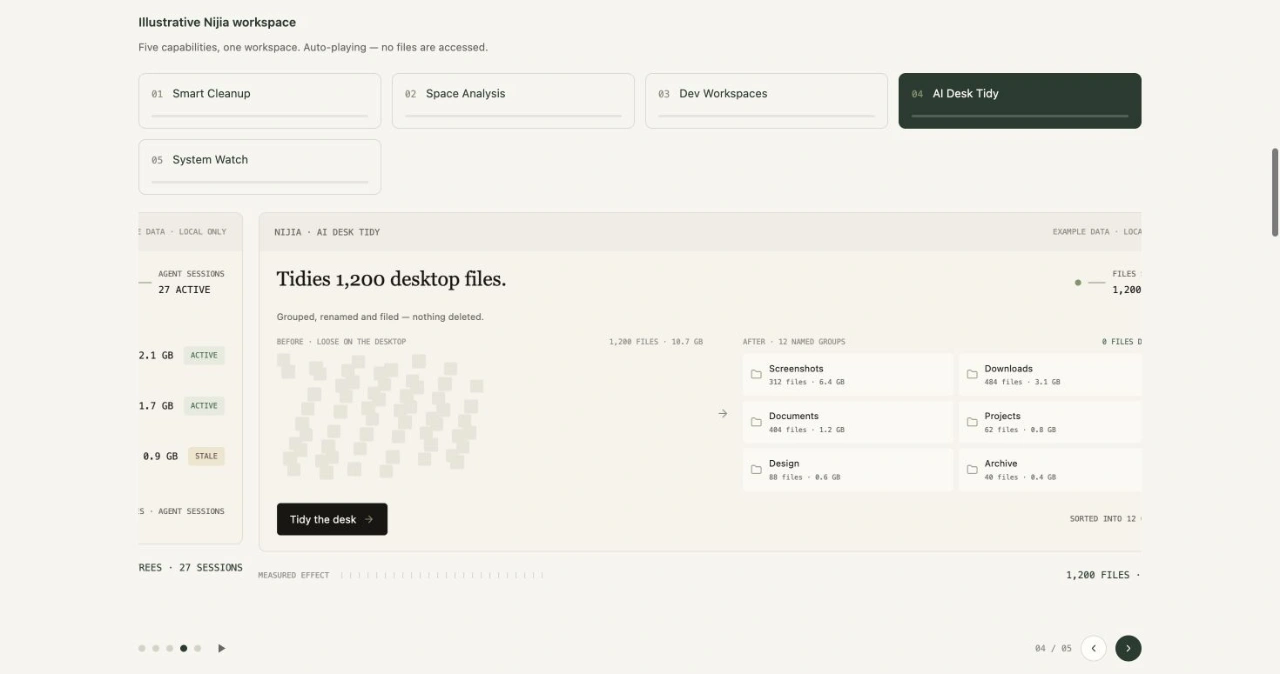
Smart Cleanup presents candidates for review. Selected cleanup items move to Trash after confirmation; emptying Trash is a separate action with its own confirmation. AI Desk Tidy proposes file groups locally without an external AI account or API key, and users review changes before applying them. System Watch displays CPU, memory, and disk usage.
Downloading the Mac app requires no payment or login. Using Nijia requires a paid Pro license. Monthly, yearly, and one-time plans cover two Macs; see https://nijia.app/pricing/ for current details.
Loading...
Related products
View all
Walyro
Set live video wallpapers on your Mac
3
Desktop App, Personalization, Utility
3
Desktop App, Personalization, Utility

DisplaySwitcher
Switch monitor inputs and transfer text and files
0
Desktop App, File Sharing, Productivity
0
Desktop App, File Sharing, Productivity

OneKitly
1,800+ free online calculators, converters and tools
0
Productivity, DevTool, SEO Tools
0
Productivity, DevTool, SEO Tools

Excelerator Password 2.0
Lock and unlock Excel workbooks without opening Excel
0
Productivity, Security, Desktop App
0
Productivity, Security, Desktop App


More categories
All categories






Launched in Week 48, 2026
See the week
Hotel Lobby AI Video Generator
Make AI videos from photos for TikTok & Reels.
0
Generative AI
0
Generative AI
11d20h6m
Launches in11days
:20hours
:06mins
:16secs

DestinyMatrics
Free Destiny Matrix Chart Calculator
0
Astrology, Calculator
0
Astrology, Calculator
11d20h6m
Launches in11days
:20hours
:06mins
:16secs

HProxy
Residential proxies from $0.44 per GB
0
Data Analytics, API
0
Data Analytics, API
11d20h6m
Launches in11days
:20hours
:06mins
:16secs

TraceUX
Free, self-hosted session replay and UX suite
0
Session Recording, UX Design, Feedback
0
Session Recording, UX Design, Feedback
11d20h6m
Launches in11days
:20hours
:06mins
:16secs