Katto
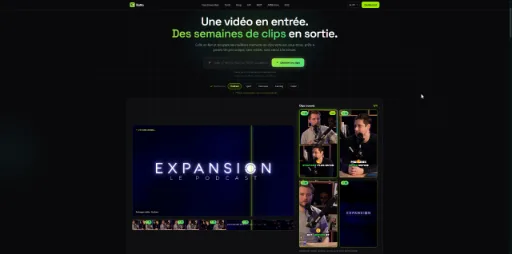
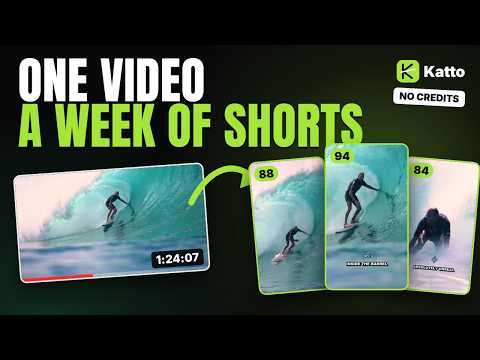
Turn long videos and podcasts into scored vertical clips.
Screenshots
Video Demo
Freemium
AI Video
Video Editing
Content Creation
Built with Next.js
What is Katto?
Katto is an AI video clipping platform that turns long-form recordings into short vertical videos ready for social media. Users paste a link or upload a file, and the software extracts key moments, reframes them to 9:16, generates captions, and ranks each result.
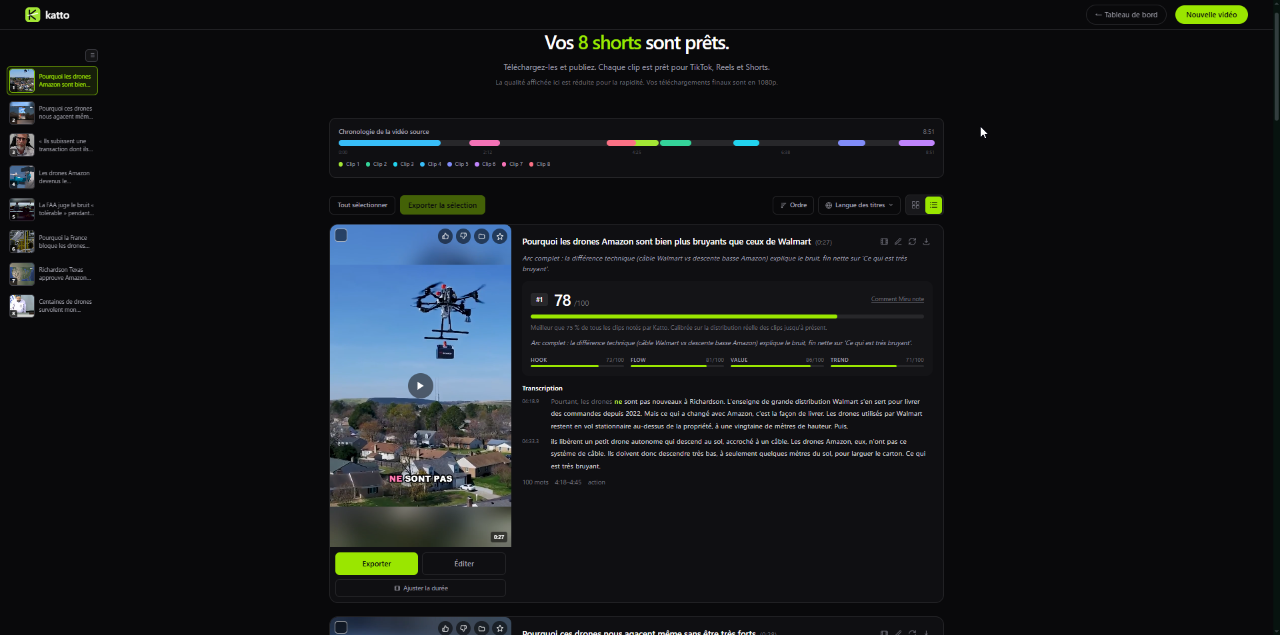
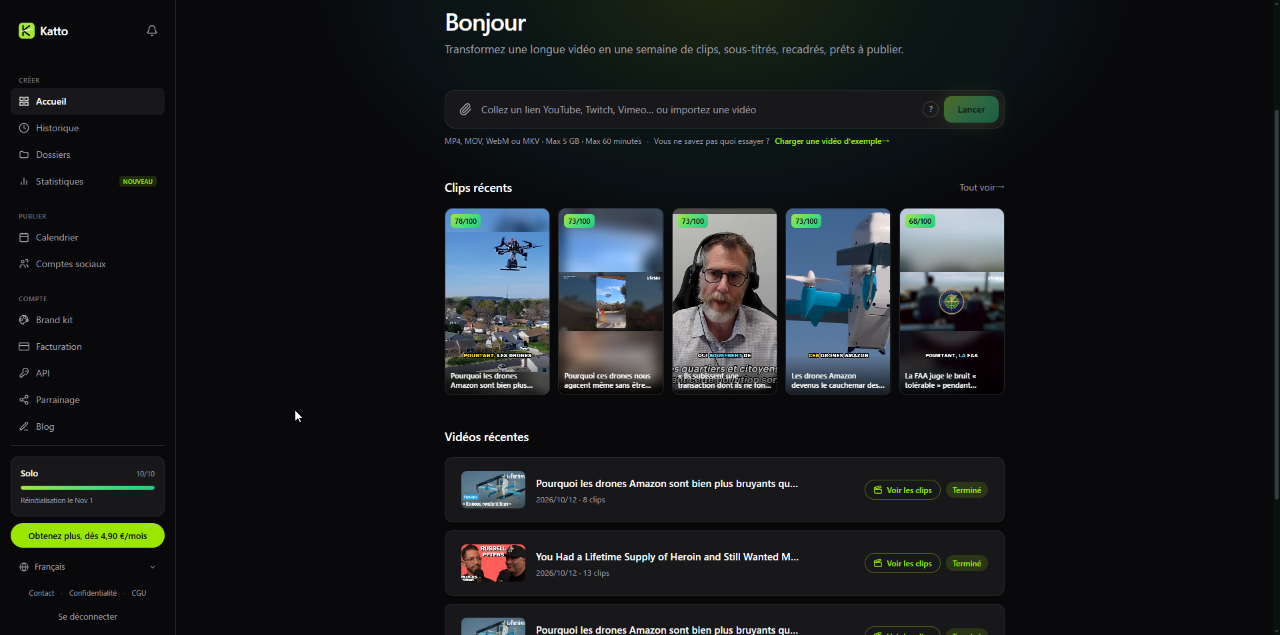
Traditional editing means scanning footage, cutting clips, adjusting aspect ratios, and adding subtitles by hand. Katto automates extraction and reframing, then scores every clip on four metrics: hook, flow, value, and trend. Editors and creators get a prioritized shortlist instead of an unorganized timeline.
Instead of credit balances or per-minute billing, Katto charges flat rates based on the number of videos processed. Its reframing handles multi-speaker conversations, gaming, and sports action alongside standard single-speaker formats.
Who is it for?
Katto is built for content creators and production teams repurposing long recordings into short-form content.
* Podcasters turning audio or video interviews into promotional reels.
* Gaming and sports creators who need action tracking and multi-person commentary.
* Social media managers posting vertical videos daily across multiple channels.
* Developers automating clipping pipelines through an API or MCP server.
Key features
* Moment Scoring: rates every detected clip from 0 to 100 on hook, flow, value, and trend, so the best segments stand out immediately.
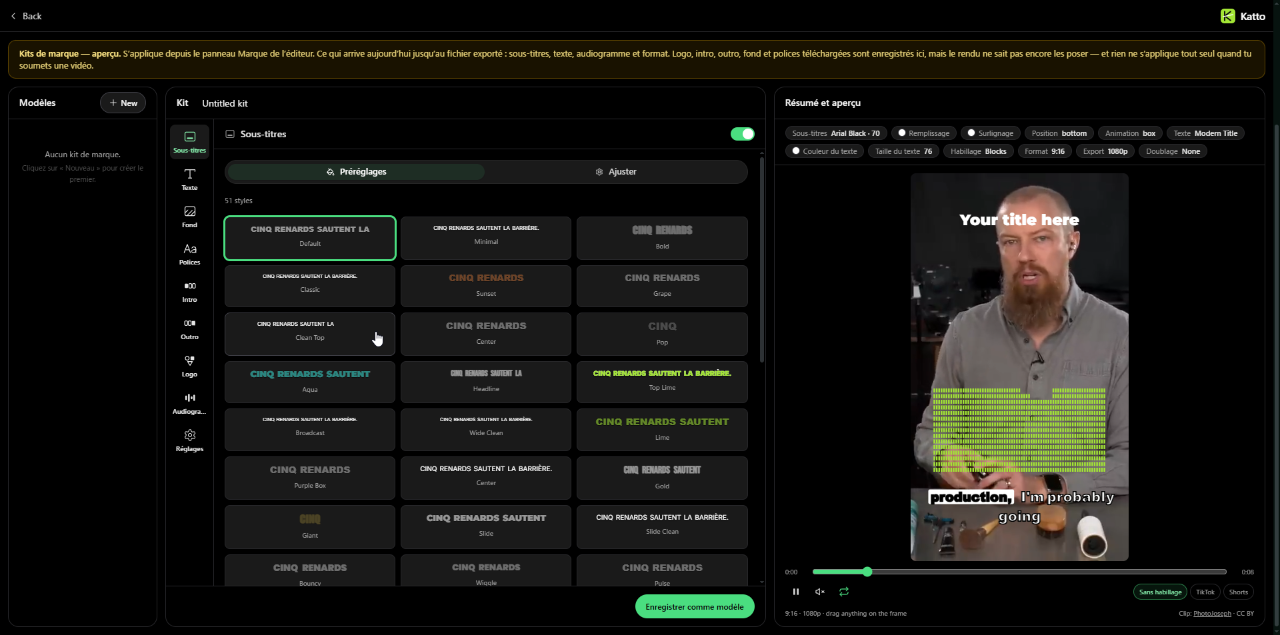
* Miru AI Reframe: tracks speakers, faces, and fast-moving action to convert horizontal footage into 9:16, 4:5, 1:1, or 16:9, with speaker-split and multi-face layouts.
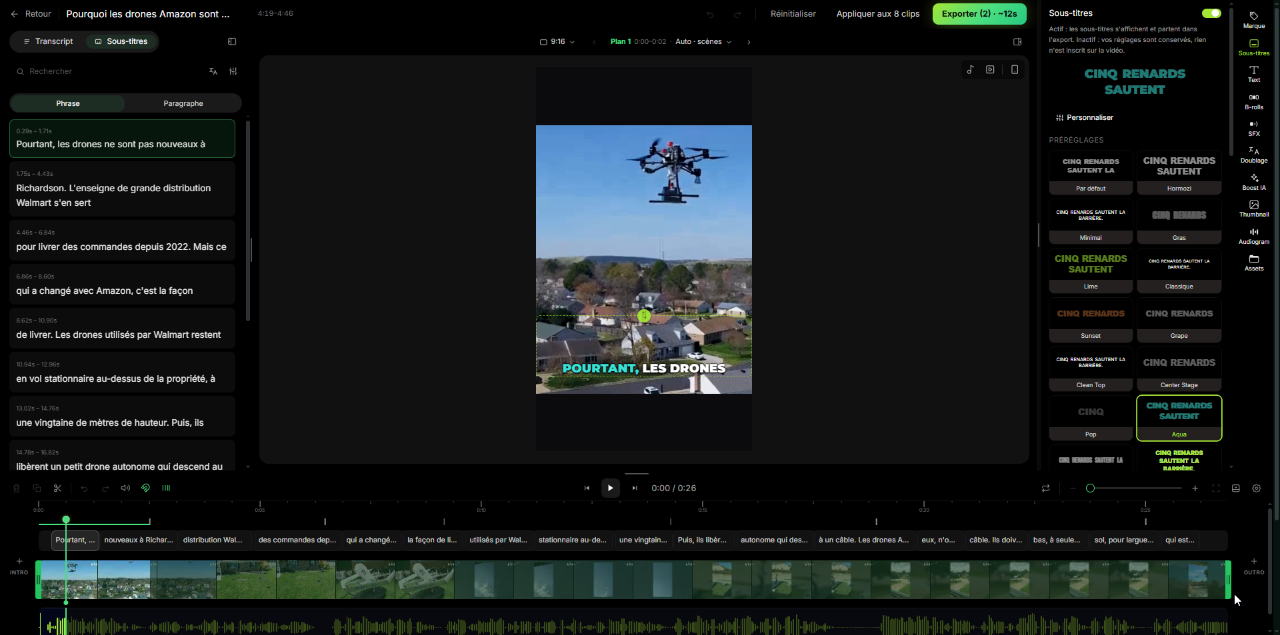
* Automated Captions: karaoke-style captions in 99 languages, with word-level synchronization for 41 languages.
* Text-Based Editing: trim clips by deleting or moving words in the auto-generated transcript.
* AI Dubbing: translates speech into 19 languages with a natural-sounding voice.
* Multi-Platform Publishing: post directly to seven networks (YouTube, TikTok, Instagram, Threads, LinkedIn, Bluesky, and Mastodon), immediately or on a schedule.
* Developer Integration: OpenAPI 3.1 REST API, signed webhooks, and a Model Context Protocol server for automated and AI agent workflows.
How it works
1. Paste a link (YouTube, Twitch, Vimeo, Kick, Zoom, Google Drive, and more) or upload an MP4, MOV, WebM, or MKV file.
2. Optionally steer the selection with a prompt (angle, topic, or audience) while the system finds and reframes the highlights.
3. Fine-tune clips in the editor: remove words from the transcript, switch caption templates, add B-roll, or adjust speaker framing.
4. Export, publish directly to connected platforms, or schedule posts across channels.
Use cases
A podcaster uploads a 90-minute video conversation, lets Katto flag the top-scoring discussions, reframes multi-guest segments into split-screen vertical videos, and schedules them across social accounts.
A gaming streamer extracts highlights from a long playthrough, with motion tracking following the in-game action while the facecam stays in frame.
A developer connects Katto through its MCP server and REST API to generate short clips automatically whenever a new webinar or interview is published.
Pricing
Free: 2 videos per month, up to 30 minutes each, 720p with a watermark.
Solo: 8.90 EUR per month, or 4.90 EUR per month billed annually (58.80 EUR per year). 10 videos per month, up to 60 minutes each, 1080p, no watermark, direct publishing to 7 platforms.
Creator: 14.90 EUR per month, or 11.90 EUR per month billed annually (142.80 EUR per year), with a 7-day free trial. 25 videos per month, up to 90 minutes each, plus scheduling, AI dubbing, and voice cleanup.
Billing is per video, not per minute.
Alternatives
Katto competes with tools such as OpusClip and Klap. Unlike platforms that draw down credit pools or charge per minute, Katto uses flat per-video pricing and shows a detailed score breakdown for every clip.
FAQ
What input formats does Katto accept?
Links from YouTube, Twitch, Vimeo, Kick, Zoom, Google Drive, and other sources, plus direct uploads in MP4, MOV, WebM, and MKV: up to 3 GB on Free and 5 GB on paid plans.
Does Katto use credit-based billing?
No. Pricing is based on the number of source videos processed per month. Within your plan's length limit, a 90-minute video counts the same as a 10-minute one.
Which social networks can you publish to directly?
YouTube, TikTok, Instagram, LinkedIn, Threads, Bluesky, and Mastodon, available on paid plans. Scheduling is included with Creator.
Loading...
Related products
View all
BudgetPixel
AI image, video, and music generation on one account
1
Generative AI, AI Image Generation, AI Video
1
Generative AI, AI Image Generation, AI Video



MiniMax H3 AI Video Generator
Create 2K AI videos with references and synchronized audio
0
AI Video, Video Editing
0
AI Video, Video Editing


More categories
All categories






Launched in Week 45, 2026
See the week
Walyro
Set live video wallpapers on your Mac
3
Desktop App, Personalization, Utility
3
Desktop App, Personalization, Utility
NativeBundle
Turn your web app into iOS & Android apps — one-time payment
0
Mobile Development, No-Code, App Development
0
Mobile Development, No-Code, App Development

DisplaySwitcher
Switch monitor inputs and transfer text and files
0
Desktop App, File Sharing, Productivity
0
Desktop App, File Sharing, Productivity

 Prev
 Next