Breef
Connect courses, books, and ideas into a visual map
Screenshots
Freemium
Note Taking
Education
Productivity
Built with Convex
 Next.js
 Typescript
 Vscode
 GitHub
 Vercel
ConvexNext.jsTypescriptVscodeGitHubVercelWhat is Breef?
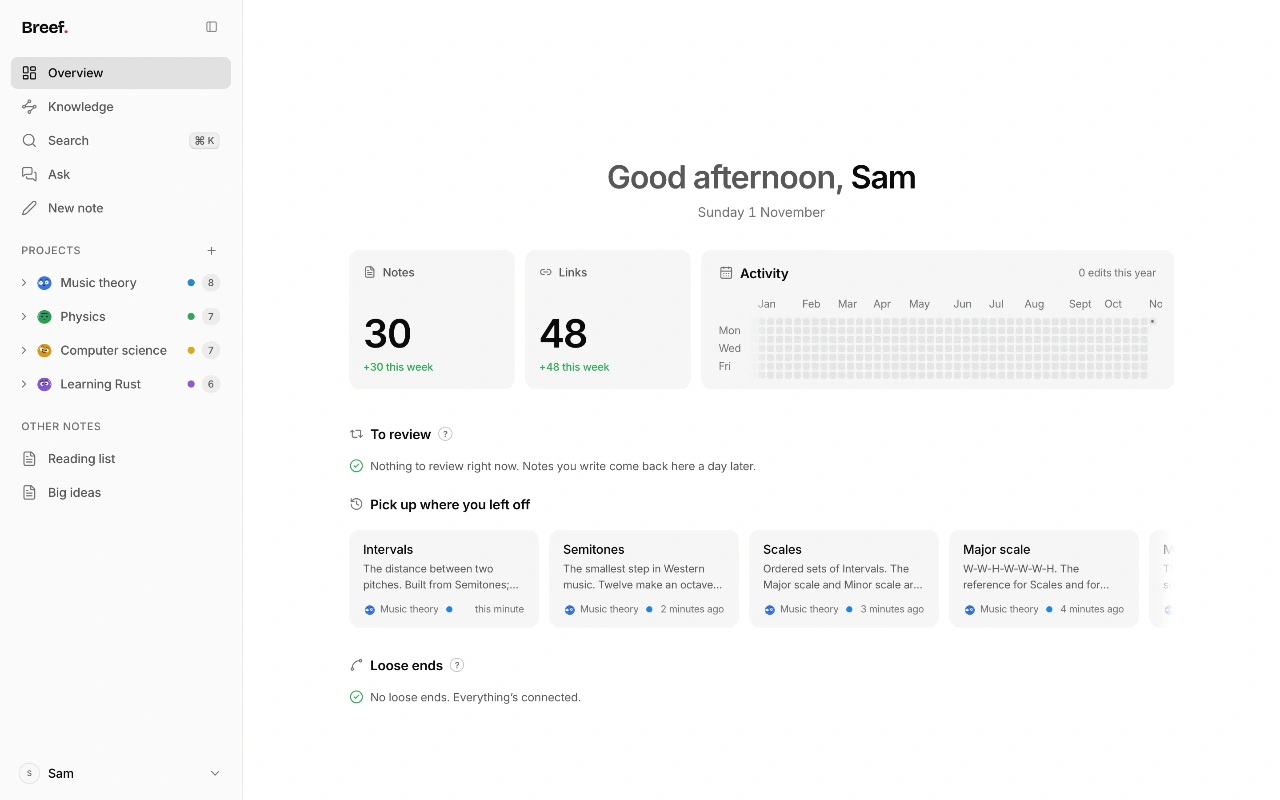
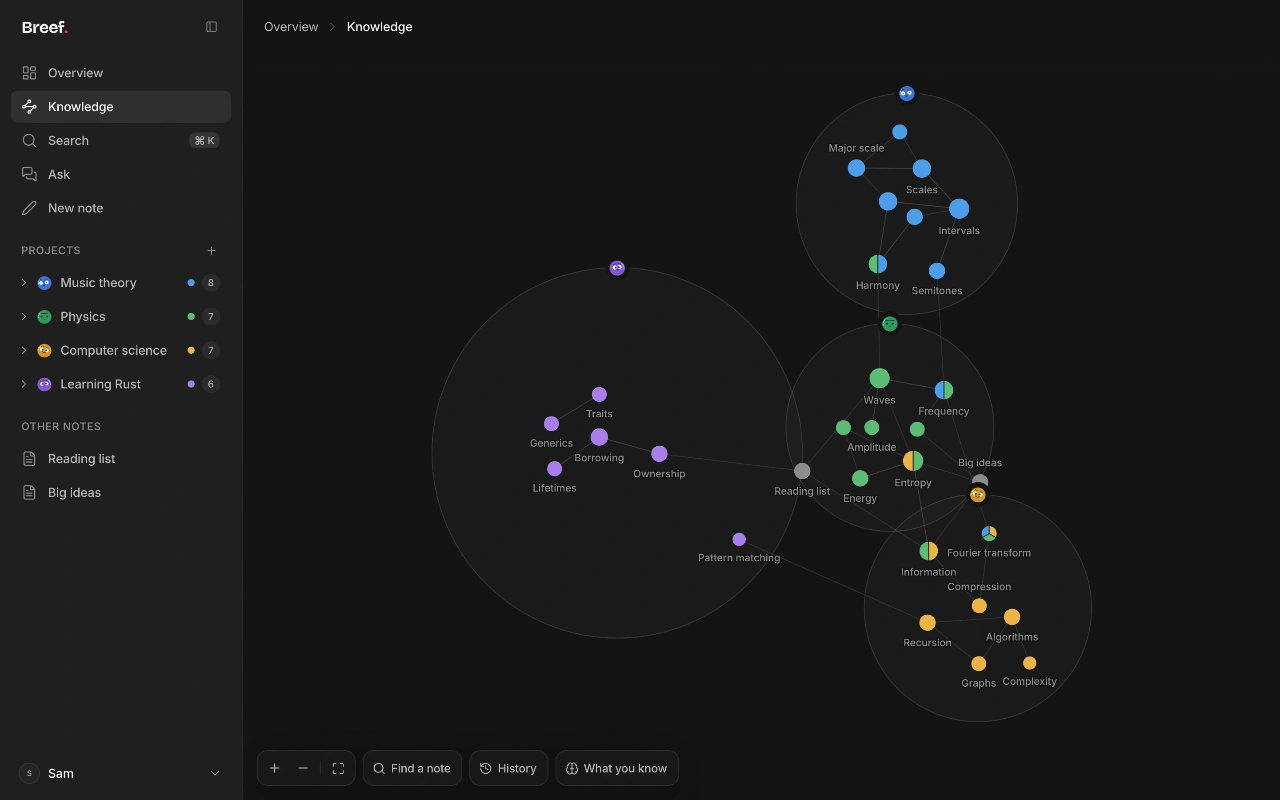
Breef is a networked note-taking and study app designed to connect courses, reading materials, and ideas in a single workspace. Instead of leaving lecture notes, web highlights, and reading summaries scattered across multiple tools, Breef allows users to write plain text and build relationships between concepts using bidirectional links. As notes accumulate, the app turns them into an interactive knowledge graph that visually maps out how subjects connect.
The app addresses the problem of fragmented learning and poor retention. In addition to manual note-taking, Breef incorporates audio lecture recording, PDF conversion, automated study notes, and active recall workflows like spaced repetition. It replaces passive storage with an interconnected structure that highlights the broader context of what you study.
What sets Breef apart is its study-focused design. Unlike generic productivity wikis, Breef combines graph-based personal knowledge management with built-in exam scheduling, audio lecture transcription, and natural language question answering grounded in your personal notes.
Who is it for?
Breef is built for independent learners and academics who need to organize and retain large volumes of conceptual information.
- University and high school students who want to track lecture notes, slides, and exam revision schedules.
- Academic researchers seeking to link long-term reading materials directly to evolving research concepts.
- Self-directed learners and avid readers who want to follow interconnected topics across multiple books and subjects.
Key features
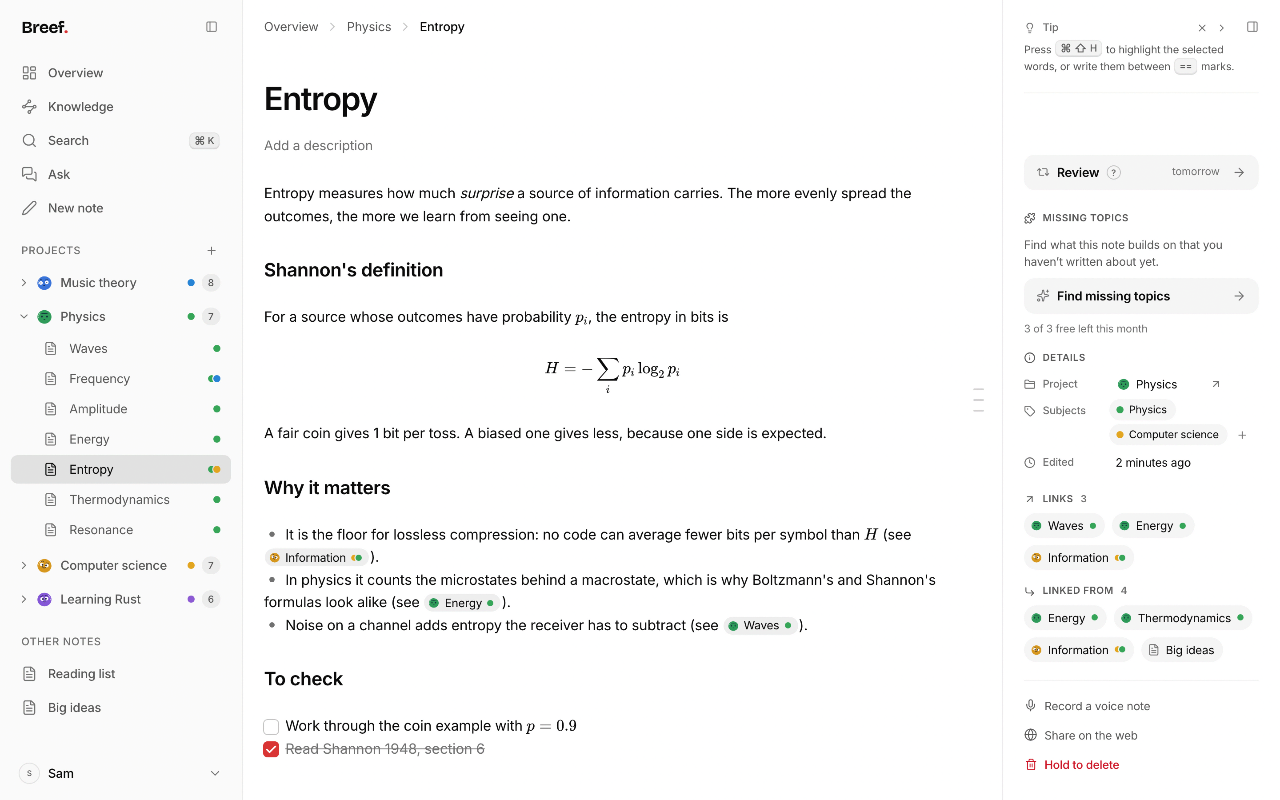
- Markdown text editing: Write in plain text using common formatting shortcuts like headings, task lists, and bullet points, with instant visual formatting preserved over plain text.
- Bidirectional linking: Connect ideas by typing brackets to reference other notes, automatically contributing to a holistic visual map of your understanding.
- Visual Knowledge graph: Explore how notes fit together across projects and subjects, with color-coded nodes and the ability to replay how your knowledge network grew over time.
- Lecture recording and transcription: Record audio directly inside a note to produce structured study notes with key takeaways, emphasized points, full transcripts, and links to existing ideas.
- Spaced repetition reviews: Automate review schedules that resurface notes at widening intervals, allowing you to gauge retention with quick self-assessments and memory questions.
- Targeted exam preparation: Assign exam dates to projects to generate an escalating review schedule that ensures all associated notes are reviewed thoroughly before test day.
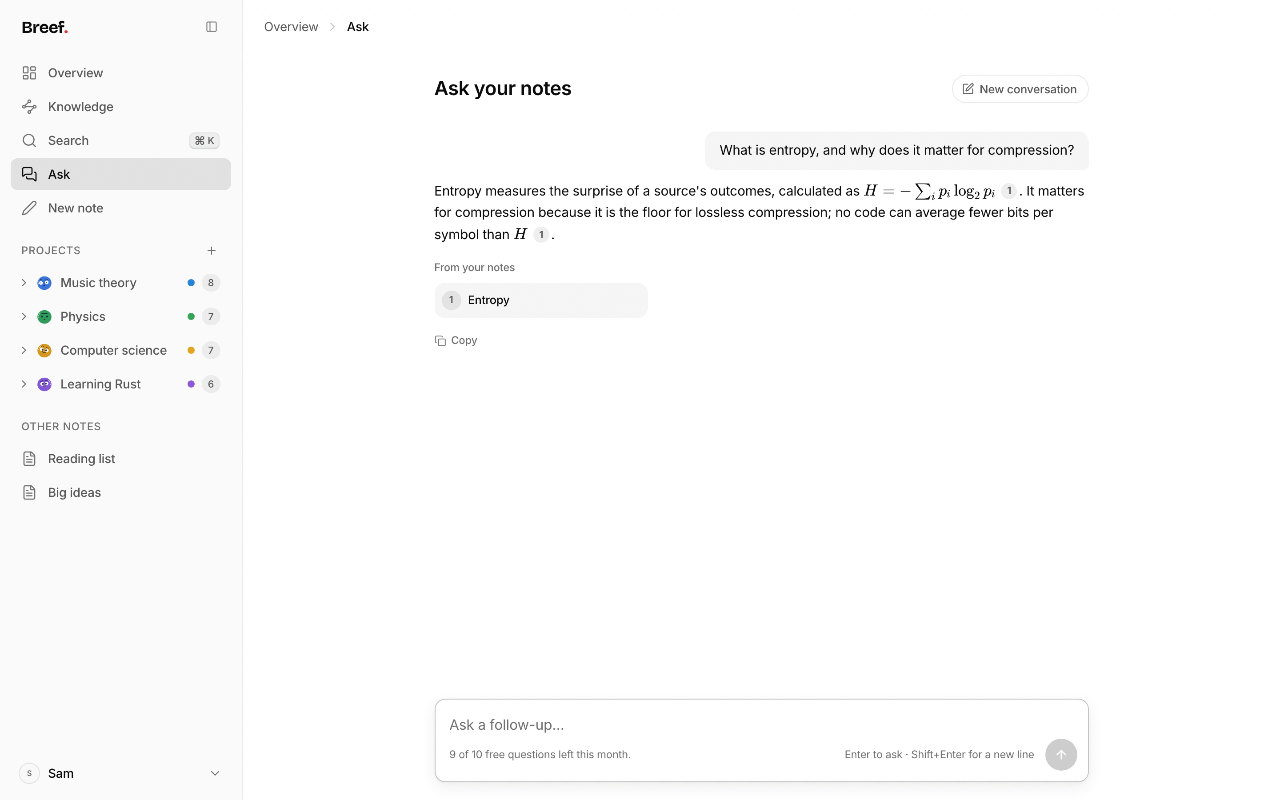
- Note-grounded AI search: Ask questions in natural language to retrieve accurate answers derived strictly from your existing notes, complete with references to source entries.
- Slide and PDF conversion: Import Markdown files or drop in lecture slide PDFs to have Breef extract content and generate connected study notes.
Pricing
Breef operates on a freemium model. The Free plan costs €0 forever and includes unlimited notes, links, projects, knowledge graph history, global search, spaced repetition, exam preparation, 2 hours of voice notes per month, 10 note questions per month, 10 quizzes per month, 50 PDF pages converted per month, and 250 MB of file storage. The Pro plan costs €48 per year plus VAT (equivalent to €4 per month) and increases allowances to 30 hours of voice notes per month, unlimited AI questions and quizzes, 2,000 PDF pages converted per month, and 10 GB of storage.
Alternatives
Breef serves as an alternative to networked note-taking tools like Obsidian and Roam Research. While Obsidian relies on third-party plugins for features like spaced repetition and audio transcription, Breef integrates lecture recording, AI-driven PDF conversion, and automated exam study schedules natively into the workspace.
FAQ
What is included in the free plan?
The free plan includes all core writing and linking features, your visual knowledge graph, spaced repetition, exam preparation tools, 2 hours of audio notes per month, 10 questions to your notes, 10 quizzes, 50 PDF pages converted, and 250 MB of storage.
How does Breef handle audio lectures?
You can press record inside any note. Breef transcribes what was spoken and organizes it into study notes containing main sections, key points, lecture emphasis, and links to your existing entries.
Loading...
Related products
View all
iSkitch
iSkitch is a modern, native macOS take on the classic Skitch
0
Screenshot, Productivity, Note Taking
0
Screenshot, Productivity, Note Taking

Elasticnote
Local-first Markdown notes, tasks, LaTeX, and research works
0
Note Taking, Productivity, Knowledge Base
0
Note Taking, Productivity, Knowledge Base

Mind Refactory
Self-directed mental processing framework for engineers
4
Mental Health, Productivity, Personalization
4
Mental Health, Productivity, Personalization

DisplaySwitcher
Switch monitor inputs and transfer text and files
0
Desktop App, File Sharing, Productivity
0
Desktop App, File Sharing, Productivity


More categories
All categories



Launched in Week 46, 2026
See the weekTapMap
A social network built on maps: where to go and with whom
2
Social Networking, Travel, Map
2
Social Networking, Travel, Map

Video Object Remover
Remove unwanted objects from videos with AI
0
Generative AI, Video Editing, AI Video
0
Generative AI, Video Editing, AI Video

Toolblip
Free online developer tools — JSON, Base64, QR, word counter
0
DevTool, SEO Tools, Utility
0
DevTool, SEO Tools, Utility


 Prev
 Next