Quesly
AI-powered question paper creator with jev assisted grading
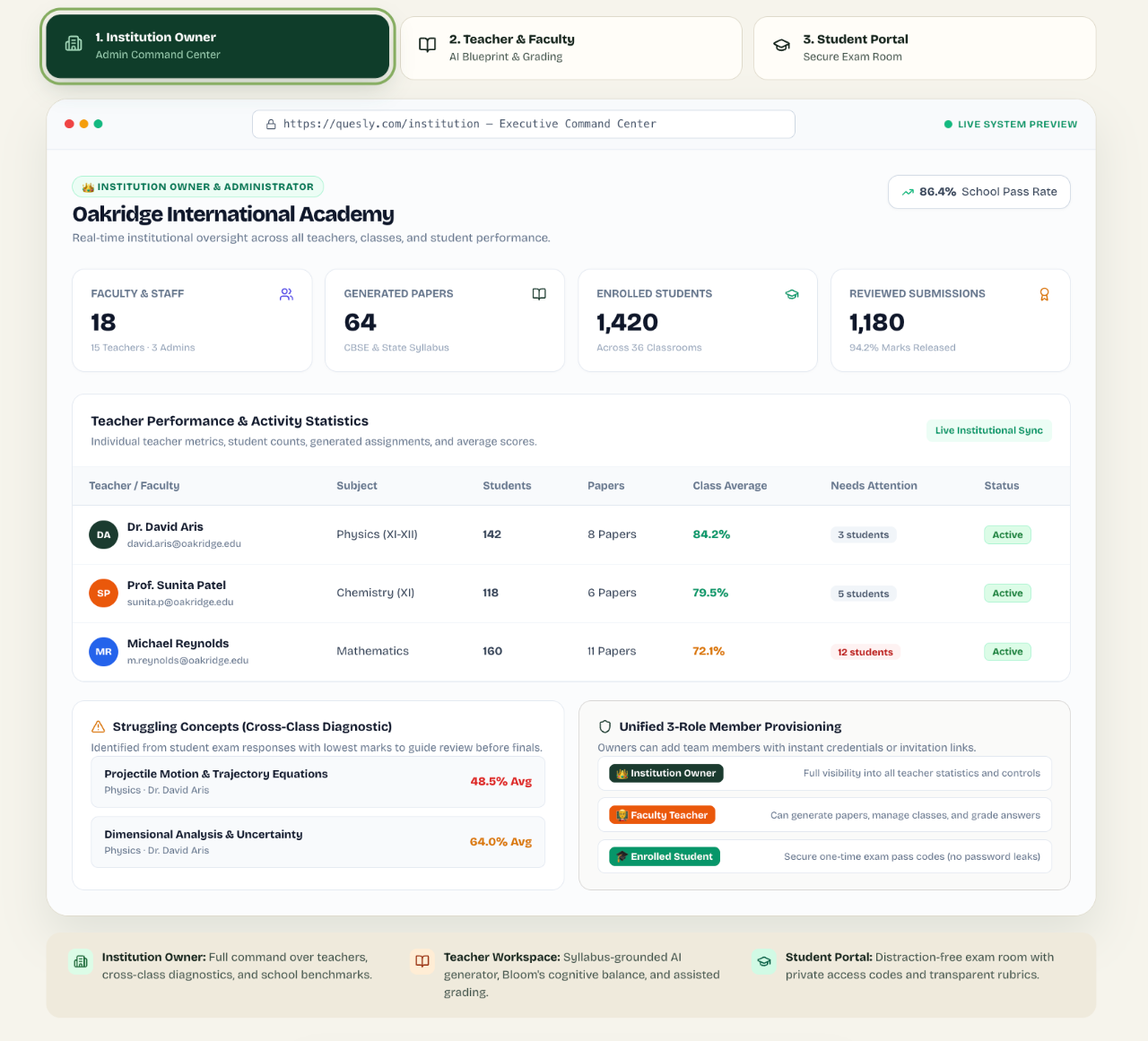
Screenshots
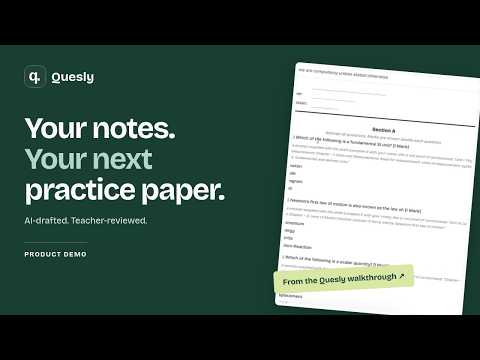
Video Demo
Free
Education
E-learning
AI
Built with React
 Python
ReactPythonWhat is Quesly?
Quesly is an assessment tool designed to help educators create question papers directly from teaching materials and manage the marking process. Many teachers spend hours outside the classroom drafting tests, building marking rubrics, and grading student submissions. Quesly addresses this workload by converting raw course material into structured tests and proposing initial evaluations for student responses.
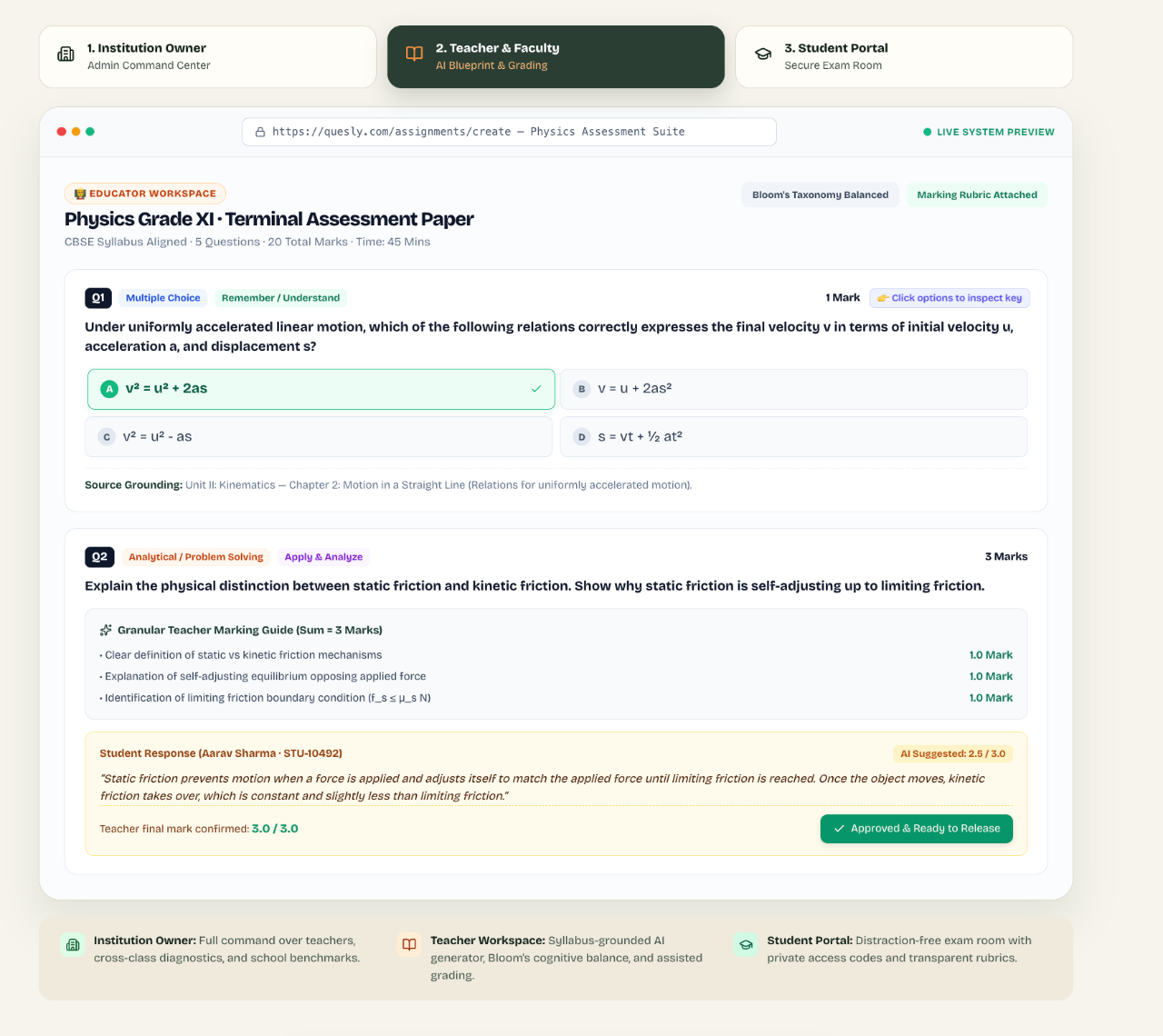
The application takes uploaded files or pasted text, extracts the content, and prepares test questions alongside an answer key and marking guide. When students complete an assessment, objective questions are checked instantly against the answer key, while written responses receive suggested marks and notes.
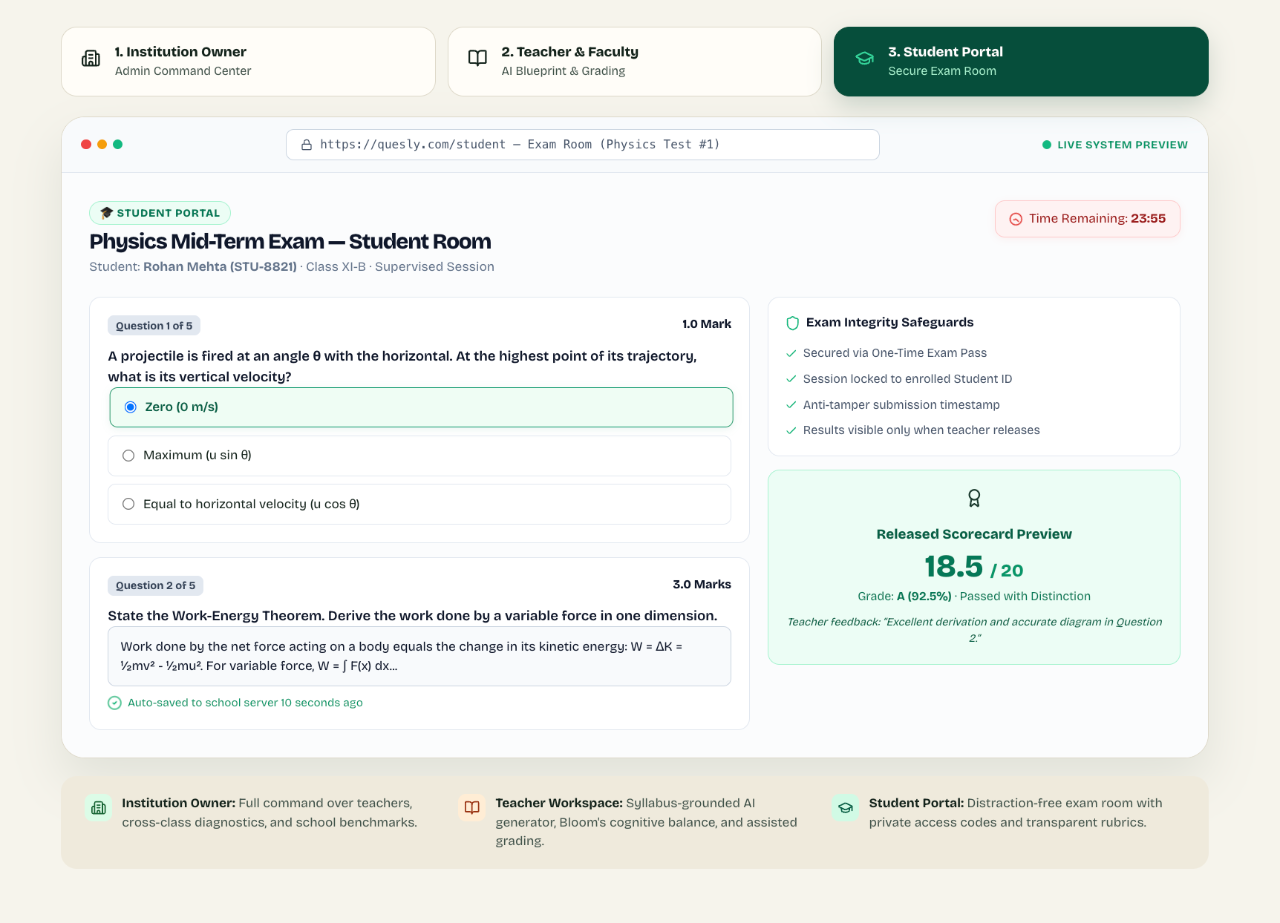
Quesly differs from fully automated grading systems by enforcing teacher oversight. The software provides draft scores and reasoning, but the teacher retains complete control. Nothing is finalized or sent to students until the educator reviews the work, enters the final marks, and explicitly releases the assessment.
Who is it for?
Quesly is built for educators looking to reduce preparation and grading overhead while retaining authority over evaluation standards.
- Individual classroom teachers managing weekly quizzes and regular assessments.
- Middle school and high school educators who evaluate a mix of multiple choice questions and written answers.
- Instructors who work from custom lecture notes, textbooks, or syllabus documents.
- Educators who want draft assistance for grading without handing complete control to automated algorithms.
Key features
- Source Text Conversion: Accepts TXT files, text-based PDFs, pasted syllabi, or printed images to extract source material for question generation.
- Automated Assessment Generation: Drafts test questions, answer keys, and teacher marking guides based on uploaded notes, target grades, and specified mark counts.
- Dual Evaluation Methods: Uses exact-match checking for multiple choice questions and drafts partial-credit suggestions with explanations for written responses through an assistant called Jev.
- Teacher-Controlled Gradebook: Requires educators to manually confirm or adjust scores, blocking release until all marks are saved.
- Student Access Portal: Assigns each learner a unique student ID and private code to sign in, type responses, and view scores only after teacher approval.
- Printable Document Exports: Produces clean, downloadable PDFs separated into student exam papers and comprehensive teacher guides.
How it works
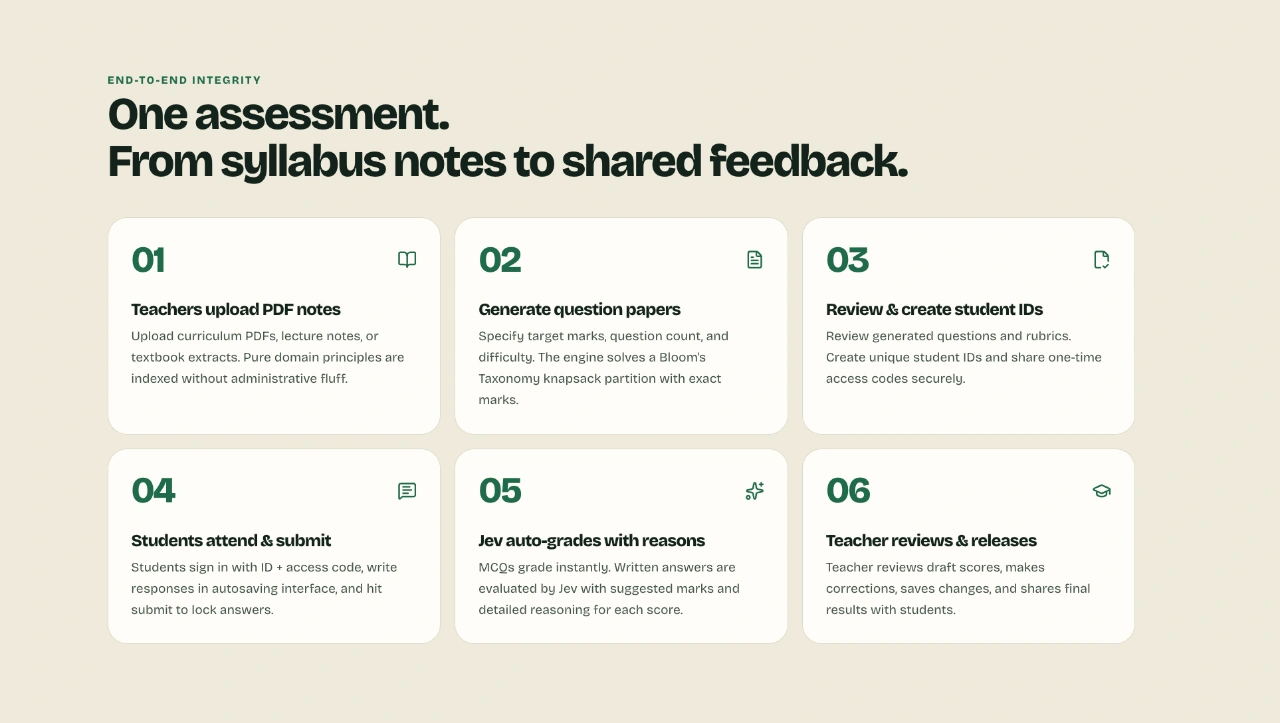
- Upload a TXT file, text-based PDF, or paste syllabus text, then verify the extracted content.
- Configure the test parameters by choosing the subject, due date, mark distribution, and question formats.
- Review the generated questions, answer key, and marking guide, then download the teacher guide and student PDF if needed.
- Distribute unique student IDs and private access codes so learners can log in to complete and submit the test.
- Review the automatically scored multiple choice questions, evaluate the draft marks and explanations for written answers, save the final scores, and release results to the class.
Use cases
A science teacher uploads unit notes about sound waves to quickly assemble a short end-of-week quiz containing both multiple choice questions and short-answer prompts.
An instructor uses the platform to handle the initial review of written homework answers, checking suggested criteria breakdowns to spot missing concepts before assigning partial credit.
A tutor prepares a customized assessment based on a specific syllabus outline, exporting a printable PDF for in-person testing and keeping the detailed answer key for manual grading.
Pricing
Quesly is currently available through an early access waitlist, and concrete pricing tiers, plan names, or limits have not been published.
FAQ
Will AI make the final grading decisions on Quesly?
No. Multiple choice questions are checked against a preset answer key, and written response scores are merely suggestions. Teachers must review the work, enter final marks, save them, and manually release the results.
What file formats can be uploaded to create a paper?
You can upload plain TXT files, text-based PDFs, or paste notes directly into the application. The system also supports reading text from printed images, though extracted text must be checked for accuracy.
How do students access their assigned tests?
Teachers give each student an individual ID and a private access code. Students use these credentials to log into the student portal, type their responses, and submit their work.
Can tests be printed for paper-based classrooms?
Yes. Quesly allows you to download a searchable student PDF without answers, as well as a separate teacher guide that includes the full answer key and marking criteria.
Loading...
Related products
View all
Digitalize Life
AI tools directory, independent reviews, and news
0
Directory, AI, News
0
Directory, AI, News

Daily Random Bible Verse Generator
Tap for a fresh KJV verse, switch translations, then copy it
0
Education, Productivity, Personalization
0
Education, Productivity, Personalization




More categories
All categories



Launched in Week 46, 2026
See the weekTapMap
A social network built on maps: where to go and with whom
2
Social Networking, Travel, Map
2
Social Networking, Travel, Map

Video Object Remover
Remove unwanted objects from videos with AI
0
Generative AI, Video Editing, AI Video
0
Generative AI, Video Editing, AI Video


Toolblip
Free online developer tools — JSON, Base64, QR, word counter
0
DevTool, SEO Tools, Utility
0
DevTool, SEO Tools, Utility


 Prev
 Next