
Text Differ
Instantly check text similarity and changes.
Screenshots
Free
Productivity
Built with Javascript
 Next.js
 Tailwindcss
JavascriptNext.jsTailwindcssText Differ is a fast, lightweight, and easy-to-use online text comparison tool designed to help you quickly find differences between two pieces of text. Whether you’re a developer comparing code, a writer reviewing drafts, an editor checking revisions, or simply trying to identify what changed between two versions of a document, Text Differ makes text comparison simple and readable.
Instead of dealing with complicated interfaces or unnecessary features, Text Differ focuses on one thing: helping you spot changes quickly.
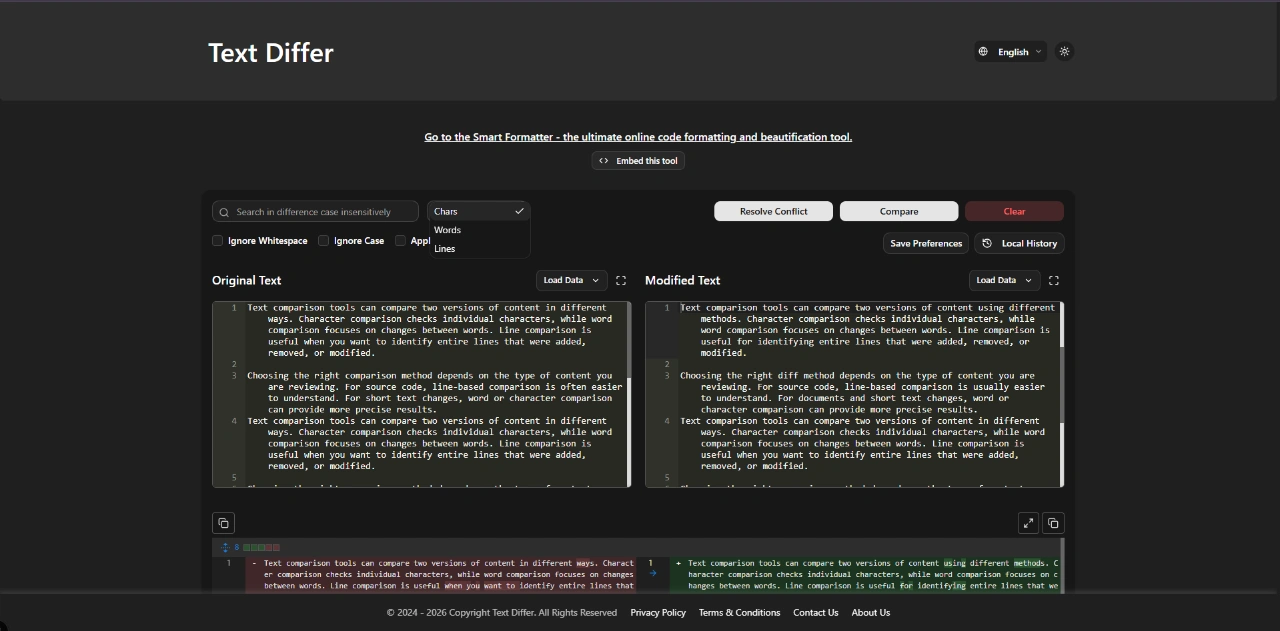
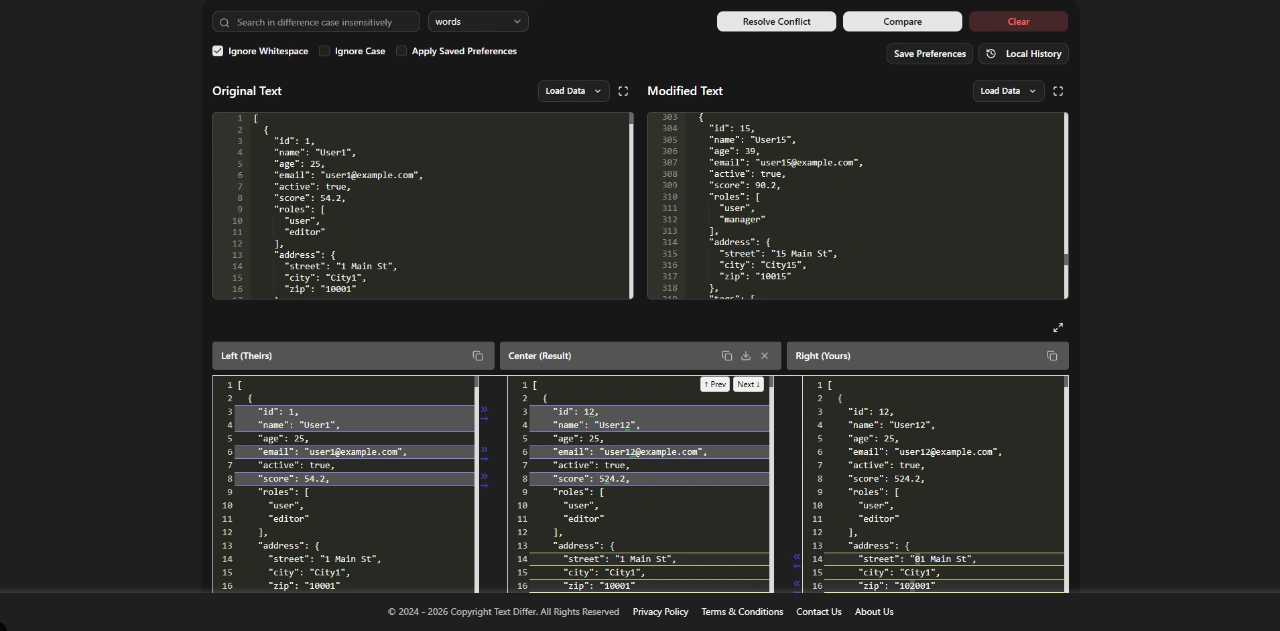
Paste or enter your original text and the updated text, and Text Differ highlights the differences so you can easily identify additions, removals, and changes. The clean interface is designed for speed, clarity, and distraction-free comparison.
Compare Text Online
Text Differ is an online text diff tool that lets you compare two versions of text directly in your browser. There’s no complicated setup and no need to install software. It’s useful for comparing plain text, documents, content revisions, notes, configuration files, code snippets, and more.
Whether you need a simple “what changed?” tool or a convenient online diff checker, Text Differ provides a straightforward way to compare text and understand differences at a glance.
Useful for Developers
Developers frequently need to compare code, configuration files, API responses, logs, documentation, and other text-based content. Text Differ provides a quick way to see what changed between two versions without opening a full development environment or navigating through a complicated diff interface.
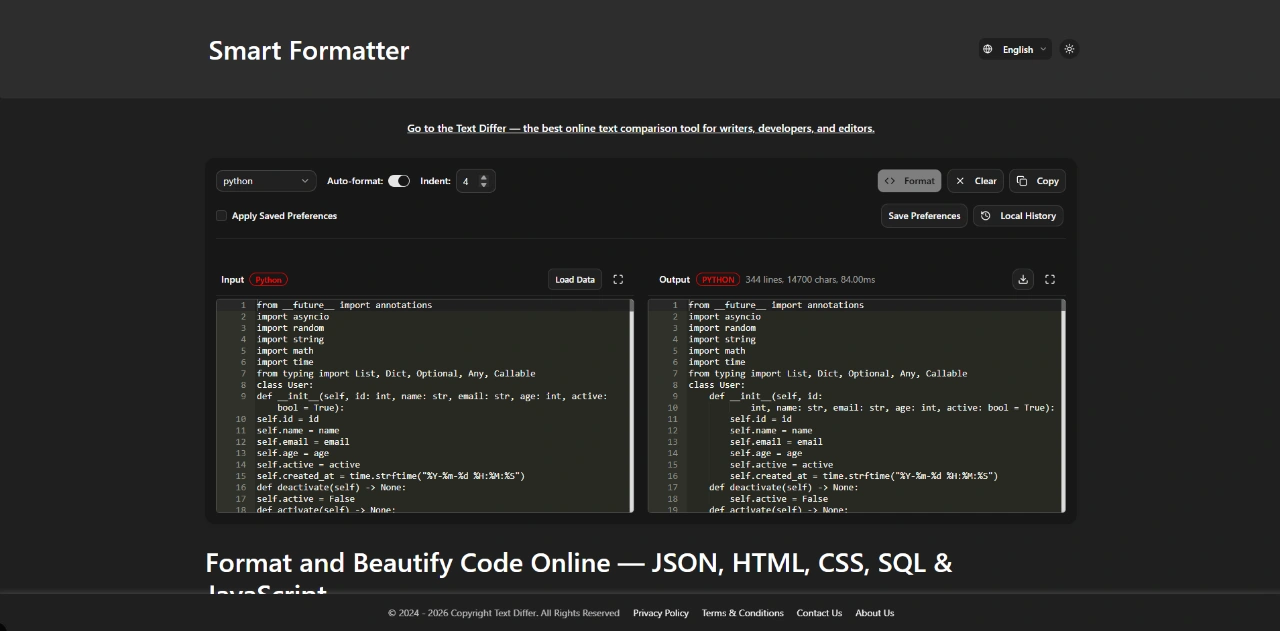
Use it to compare code snippets, review edits, check configuration changes, compare JSON or other structured text, or quickly inspect differences while debugging.
For developers who regularly work with Git and traditional code diff tools, Text Differ can also be useful for quick comparisons when you simply need to paste two pieces of text and see the differences immediately.
Useful for Writers and Editors
Text comparison isn’t only useful for code. Writers, editors, students, researchers, content creators, and other professionals often need to compare different versions of a document.
Text Differ can help you review an edited paragraph, compare an original draft with a revised version, check changes made during proofreading, or identify exactly what was added or removed from your content.
Instead of manually reading two versions line by line, you can use Text Differ to make changes easier to spot.
A Simple Diff Checker
Many text comparison tools can feel overwhelming when you only need a quick answer. Text Differ is built around a simple idea: make text differences easy to see.
The lightweight interface keeps the focus on your content rather than surrounding it with unnecessary controls or distractions. This makes Text Differ useful for quick checks as well as regular text comparison workflows.
Compare Two Texts Quickly
Use Text Differ whenever you need to answer questions like:
- What changed between these two versions?
- Which words were added?
- Which text was removed?
- Did someone modify this paragraph?
- What is different between these two code snippets?
- Did my edited version change the original content?
- Which parts of a document were revised?
Text Differ helps turn these questions into a quick visual comparison.
Online Text Diff Tool for Everyday Use
Text Differ is designed for anyone who regularly works with text. You can use it for software development, content writing, proofreading, editing, documentation, research, data cleanup, or everyday text comparison.
It can be especially helpful when you don’t want to install a dedicated application or open a large development tool just to compare two short pieces of text.
Open Text Differ in your browser, add the two versions you want to compare, and see the differences.
Fast, Clear, and Lightweight
The goal behind Text Differ is to provide a focused alternative to complicated diff tools. It prioritizes readability and speed so you can spend less time navigating an interface and more time understanding the actual changes.
Text Differ is suitable for quick text comparisons on desktop and can be useful whenever you need a convenient browser-based diff checker.
If you regularly compare text, review revisions, inspect code, or check changes between documents, Text Differ is built to make that process faster and easier.
Try Text Differ today and compare your text in seconds.
Loading...
Related products
View all
iSkitch
iSkitch is a modern, native macOS take on the classic Skitch
0
Screenshot, Productivity, Note Taking
0
Screenshot, Productivity, Note Taking

Elasticnote
Local-first Markdown notes, tasks, LaTeX, and research works
0
Note Taking, Productivity, Knowledge Base
0
Note Taking, Productivity, Knowledge Base

Mind Refactory
Self-directed mental processing framework for engineers
4
Mental Health, Productivity, Personalization
4
Mental Health, Productivity, Personalization

DisplaySwitcher
Switch monitor inputs and transfer text and files
0
Desktop App, File Sharing, Productivity
0
Desktop App, File Sharing, Productivity


More categories
All categories






Launched in Week 43, 2026
See the week
BudgetPixel
AI image, video, and music generation on one account
1
Generative AI, AI Image Generation, AI Video
1
Generative AI, AI Image Generation, AI Video


 Prev
 Next