
Staff Scheduling
Employee shift planning, attendance, and team messaging
Screenshots
Free Trial
Scheduling
HR
Time Tracking
Built with Android
 Apple
AndroidAppleWhat is Staff Scheduling?
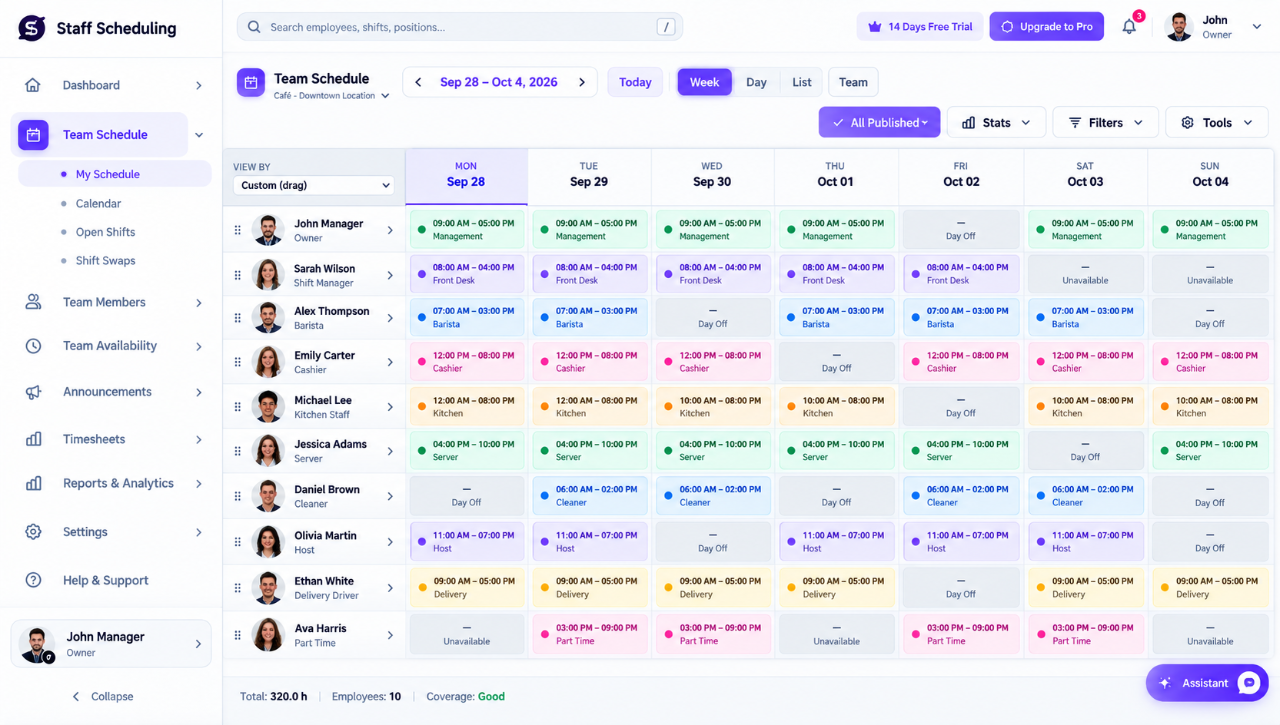
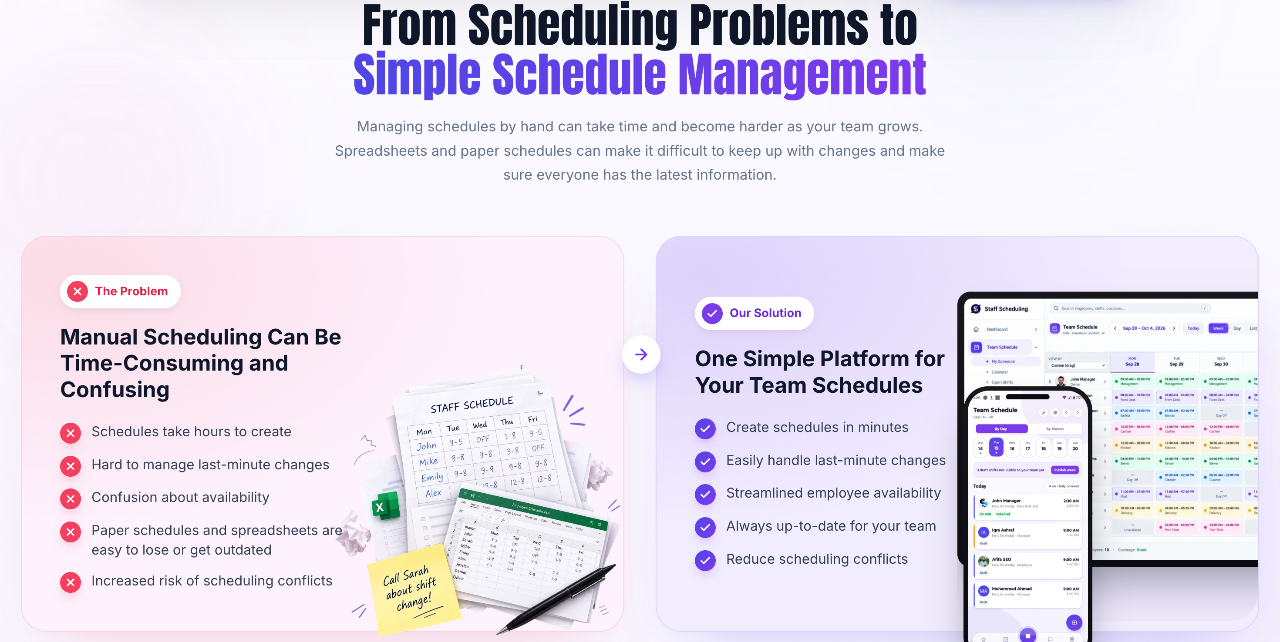
Staff Scheduling is a workforce management platform built to help businesses create work rosters, manage hourly employees, and monitor daily attendance. Instead of coordinating shifts through physical documents, static spreadsheets, or disconnected messaging channels, managers can organize and publish weekly schedules from a single web or mobile portal.
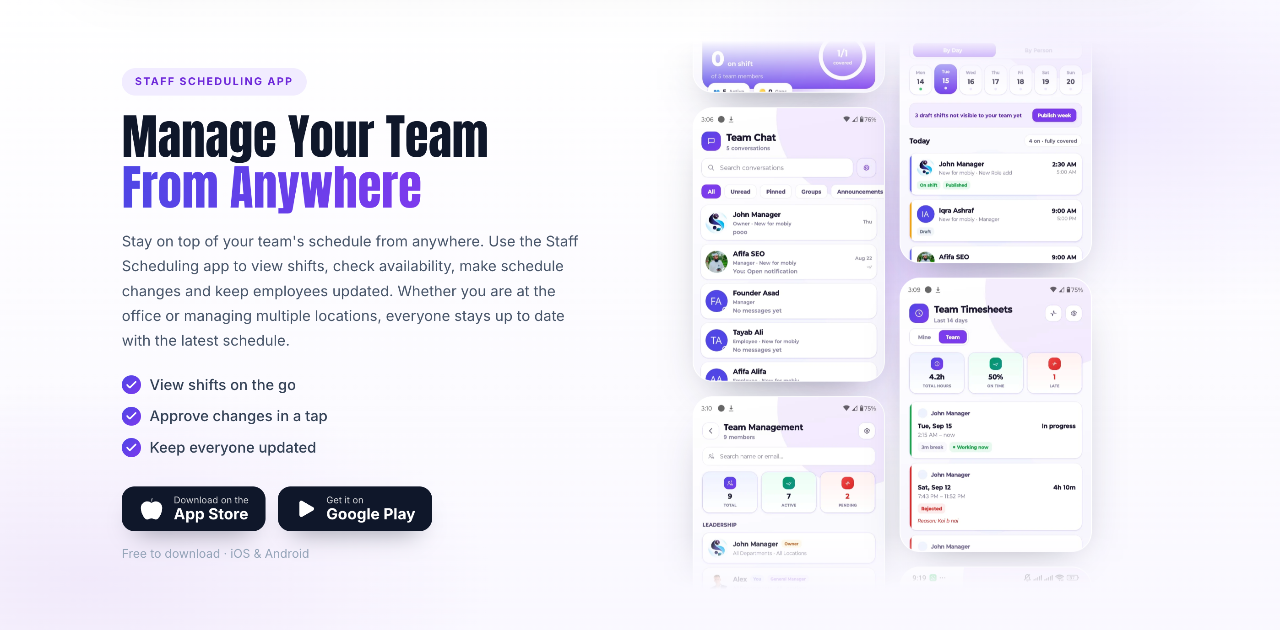
The system resolves common roster conflicts by keeping real-time availability, time-off requests, and shift coverages synchronized. Whenever a manager updates or republishes a calendar, workers receive updates on their phones, eliminating confusion regarding working hours.
Beyond standard calendar views, the platform incorporates direct shift trades, an open shift pool, GPS-verified clock-ins, and overtime alerts. This connected approach links daily rotas directly to time sheets and attendance tracking, lowering the administrative burden required to run shift-based organizations.
Who is it for?
Staff Scheduling is designed for managers, business owners, and supervisors who oversee shift-based and hourly teams across various sectors.
- Retail store managers and salon owners coordinating part-time staff and shifting coverage requirements.
- Restaurants, cafes, and hospitality businesses handling high roster turnover, split shifts, and weekend availability changes.
- Multi-location franchise operators needing a centralized overview of rotas across separate branches and departments.
- Healthcare coordinators, cleaning companies, and construction operations managing fluctuating job sites and specific hourly availability.
Key features
- Drag-and-Drop Shift Planning: Build schedules rapidly using weekly calendar views, role-based assignments, and reusable templates that can be republished in seconds.
- Availability and Leave Tracking: Allow employees to submit availability preferences and time-off requests in the app so supervisors avoid double-booking.
- Open Shifts Marketplace: Post unfilled slots to an open pool where eligible staff can claim coverage directly.
- Shift Swapping: Enable team members to trade shifts among themselves with manager oversight and approval.
- GPS Time Clock: Track mobile clock-ins and clock-outs with geofencing, photo verification, and automatic flagging of late arrivals or no-shows.
- Workforce Analytics and Overtime Alerts: Monitor active labor expenses, generate payroll-ready time sheets, and receive warnings before workers reach costly overtime thresholds.
- Integrated Team Communication: Broadcast announcements, coordinate through group chat, and deliver instant alerts via push notifications, SMS, or email.
How it works
- Set up your business workspace, define departments or locations, and invite your team members.
- Input employee availability constraints and configure recurring schedule templates using the calendar builder.
- Publish the completed schedule, which instantly alerts workers on their iOS or Android mobile devices.
- Track daily attendance via mobile clock-ins while handling time-off requests or shift trade approvals inside the dashboard.
Use cases
A restaurant manager facing sudden weekend call-outs can post uncovered shifts to the open shift pool, allowing qualified servers to claim them instantly without back-and-forth phone calls.
A retail chain supervisor managing multiple store branches can review schedules across every site from one central screen, ensuring each location meets labor budget limits and role requirements.
A field-based cleaning service can ensure remote cleaners are actually on site before shifts begin by using the GPS-verified mobile time clock rather than paper sign-in sheets.
Pricing
Staff Scheduling offers a 15-day free trial with no credit card required. Paid plans are available with monthly or annual billing options (annual plans receive a 20 percent discount). The Starter plan is $25 per month ($20 per month billed annually) for up to 20 team members, 1 location, and 5 departments. The Growth plan is $65 per month ($52 per month billed annually) for up to 50 members, 10 locations, 25 departments, mobile app access, and team chat. The Company plan is $110 per month ($88 per month billed annually) for up to 100 members, 25 locations, 50 departments, shift swapping, time clock tools, and labor cost reports. An Enterprise plan with custom pricing supports organizations with over 100 workers.
FAQ
Is there a free trial available?
Yes, all plans include a 15-day free trial with full feature access and no credit card required.
What platforms can employees use to check their shifts?
Workers can check schedules, trade shifts, and clock in via the web app or through dedicated mobile apps available for iOS and Android.
Loading...
Related products
View all



More categories
All categories





Launched in Week 44, 2026
See the week
iSkitch
iSkitch is a modern, native macOS take on the classic Skitch
0
Screenshot, Productivity, Note Taking
0
Screenshot, Productivity, Note Taking

Elasticnote
Local-first Markdown notes, tasks, LaTeX, and research works
0
Note Taking, Productivity, Knowledge Base
0
Note Taking, Productivity, Knowledge Base

Stackedo: Small Business Management
Managing your small business, simplified.
0
CRM, Budgeting, Project Management
0
CRM, Budgeting, Project Management

SourcingHQ
AI sourcing assistant for faster procurements
0
AI Assistant, B2B, SaaS
0
AI Assistant, B2B, SaaS
 Prev
 Next