Org Chart Studio
Org charts without the struggle.
Screenshots
Freemium
Diagram
HR
Productivity
Built with Stripe
S
Stop fighting with your org chart and create one in minutes.O
Org Chart Studio builds an org chart three ways. Start from S
Start from a template: the library ships 12 templates acrossO
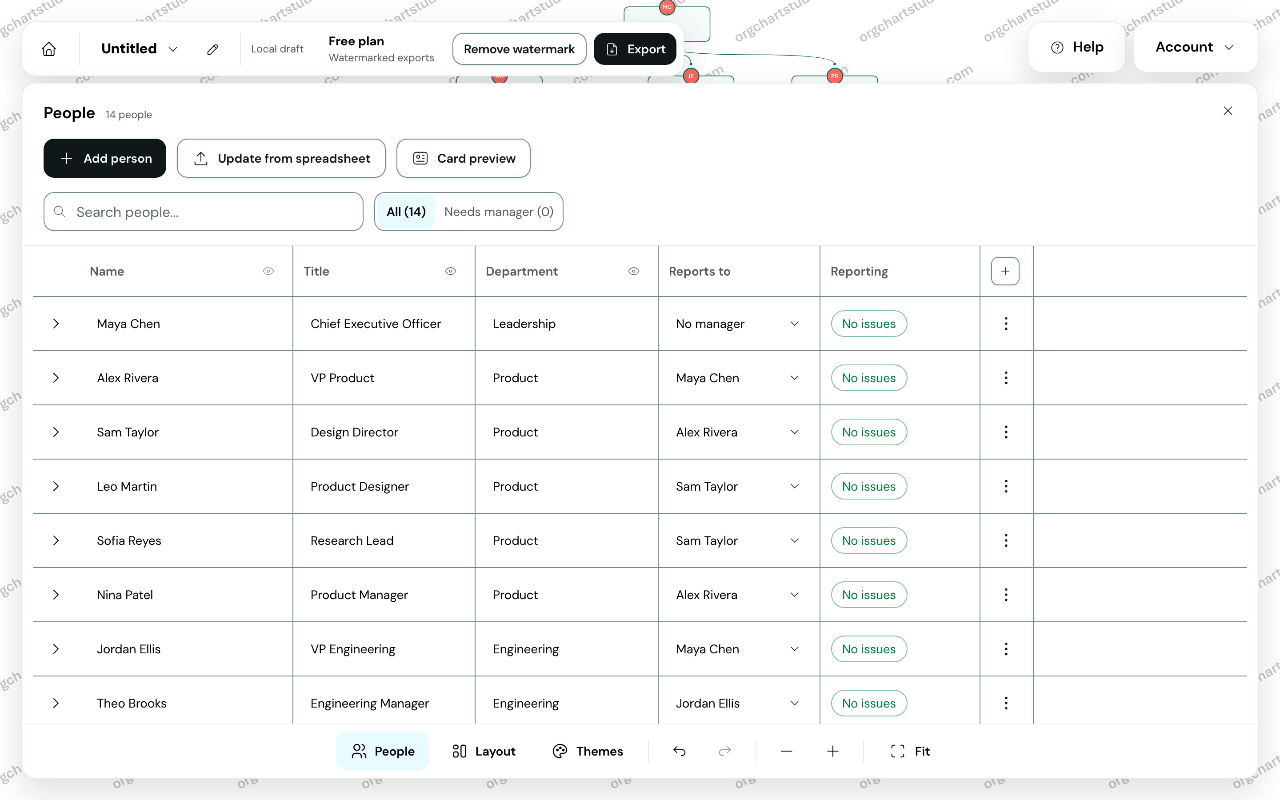
Or start blank and add people by hand, on the canvas or in tF
From there, edit on the canvas or in a table, arrange wide tP
Pay for an export when you need it. A subscription is optionA
Agent access is available over MCP: review an import, renderStop fighting with your org chart and create one in minutes.
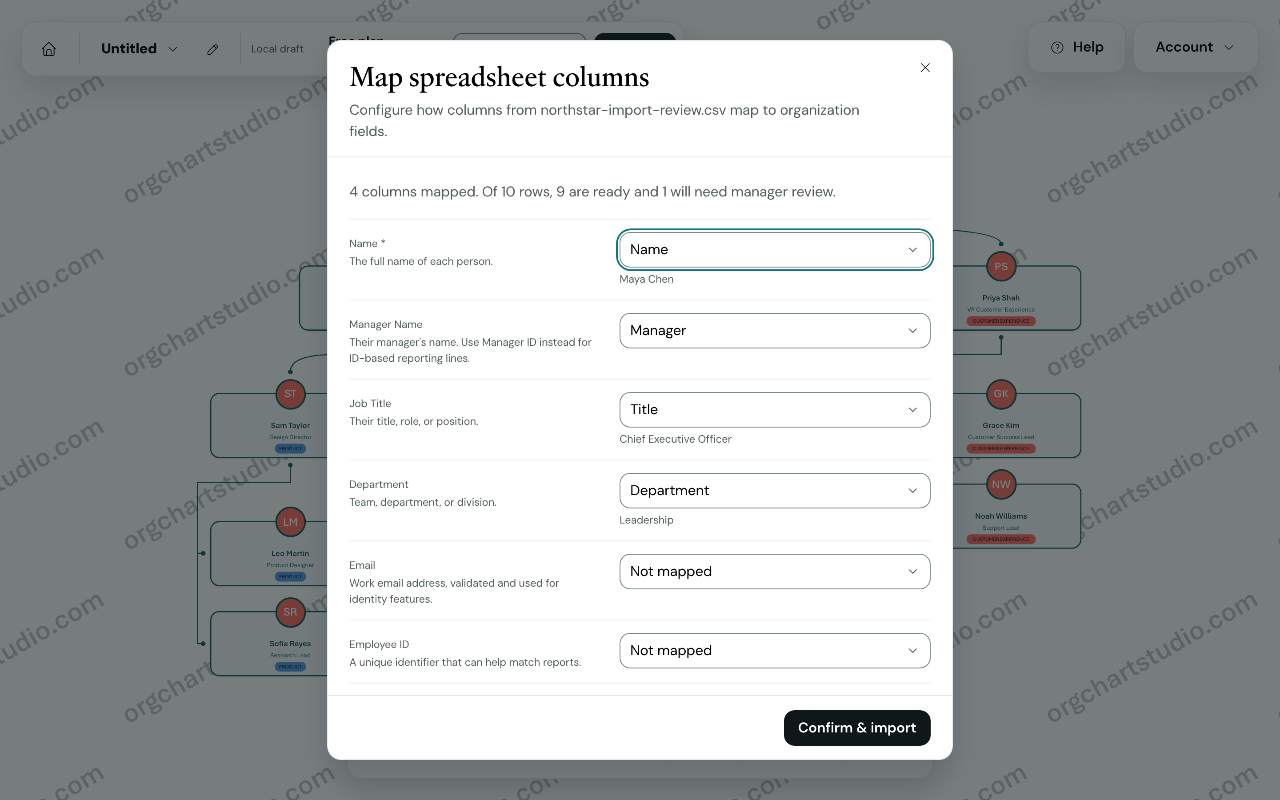
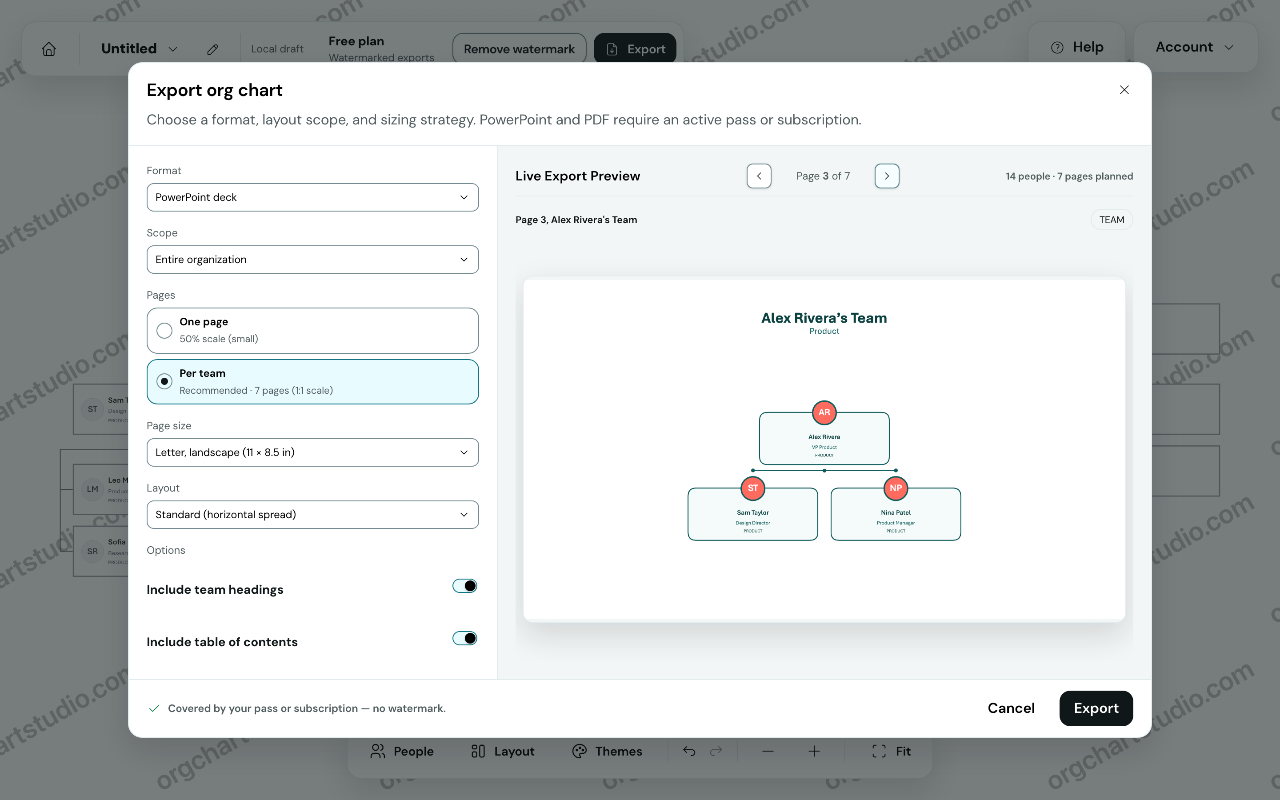
Org Chart Studio builds an org chart three ways. Start from a spreadsheet: import an Excel or CSV roster - a Google Sheets export works the same way. Map the columns you have and review the result before anything is committed. Name is the only required column, and likely typos in manager names are flagged for review instead of guessed at.
Start from a template: the library ships 12 templates across 30 picker variants, searchable and grouped by industry, each showing how many roles it holds.
Or start blank and add people by hand, on the canvas or in the table editor.
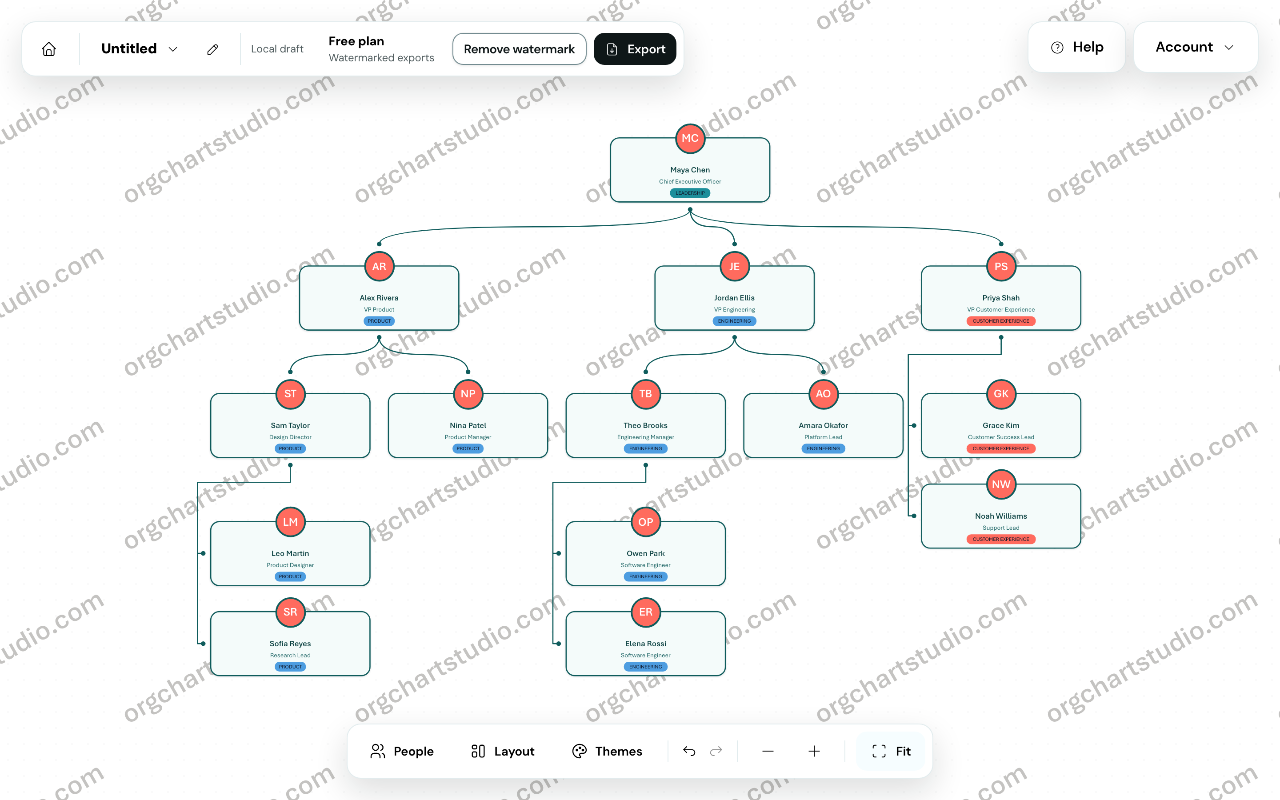
From there, edit on the canvas or in a table, arrange wide teams, apply a theme, and export. Starting and editing need no account. CSV export is always free and round-trips for re-import. A watermarked PNG is free; clean PNG, PDF and editable PowerPoint need a pass or a subscription.
Pay for an export when you need it. A subscription is optional, never required. There are no per-seat fees.
Agent access is available over MCP: review an import, render a watermarked PNG, browse templates and styles, and with OAuth read or write saved charts.
Loading...
Related products
View all
iSkitch
iSkitch is a modern, native macOS take on the classic Skitch
0
Screenshot, Productivity, Note Taking
0
Screenshot, Productivity, Note Taking

Elasticnote
Local-first Markdown notes, tasks, LaTeX, and research works
0
Note Taking, Productivity, Knowledge Base
0
Note Taking, Productivity, Knowledge Base

Mind Refactory
Self-directed mental processing framework for engineers
4
Mental Health, Productivity, Personalization
4
Mental Health, Productivity, Personalization

DisplaySwitcher
Switch monitor inputs and transfer text and files
0
Desktop App, File Sharing, Productivity
0
Desktop App, File Sharing, Productivity


More categories
All categories


Launched in Week 50, 2026
See the week
Ins Autopilot
Instagram DM outreach and contact management in Chrome
0
Chrome Extension, Social Media Management, Lead Generation
0
Chrome Extension, Social Media Management, Lead Generation
25d20h6m
Launches in25days
:20hours
:06mins
:20secs

TermiGram
SSH terminal and SFTP file manager inside Telegram
0
DevTool
0
DevTool
25d20h6m
Launches in25days
:20hours
:06mins
:20secs

BetaPick
Discover and evaluate software through reviews and rankings
0
Directory, Launch Platform, Marketplace
0
Directory, Launch Platform, Marketplace
25d20h6m
Launches in25days
:20hours
:06mins
:20secs

NNScholar
Keep your research moving with a desktop AI agent.
0
Education
0
Education
25d20h6m
Launches in25days
:20hours
:06mins
:20secs