
GenLayers
AI thumbnail maker and editor for YouTube creators
Screenshots
Free Trial
Thumbnail Generator
Generative AI
Content Creation
Built with Next.js
 Firebase
Next.jsFirebaseWhat is GenLayers?
GenLayers is an AI thumbnail studio designed specifically for YouTube creators. Standard image models often generate general artwork that ignores the layout conventions and click psychology needed for video platforms. GenLayers addresses this by turning video titles, sketches, reference pictures, and user faces into formatted 16:9 thumbnails built to capture viewer attention.
Instead of requiring complex graphic design skills or manual photo shoots, the platform lets creators specify concepts in plain text or provide rough visual layouts. It handles composition, adds bold hook text, and provides an integrated live editor so users can adjust specific elements without starting from scratch.
What sets GenLayers apart is its thumbnail-specific remixing toolkit. Users can insert their own facial expressions into any scene, swap backgrounds while matching lighting and shadow edges, or sketch out layouts directly when text descriptions fall short.
Who is it for?
GenLayers is built for video publishers looking to increase click-through rates without spending hours in photo editing software or staging complex shoots.
- Solo YouTubers who need professional cover graphics without hiring freelance designers.
- High-volume channel operators producing regular content across gaming, tech reviews, education, and commentary niches.
- Creators who prefer not to run elaborate photoshoots for every video scenario.
- Visual thinkers who prefer drawing rough blueprints to dictate composition and subject placement.
Key features
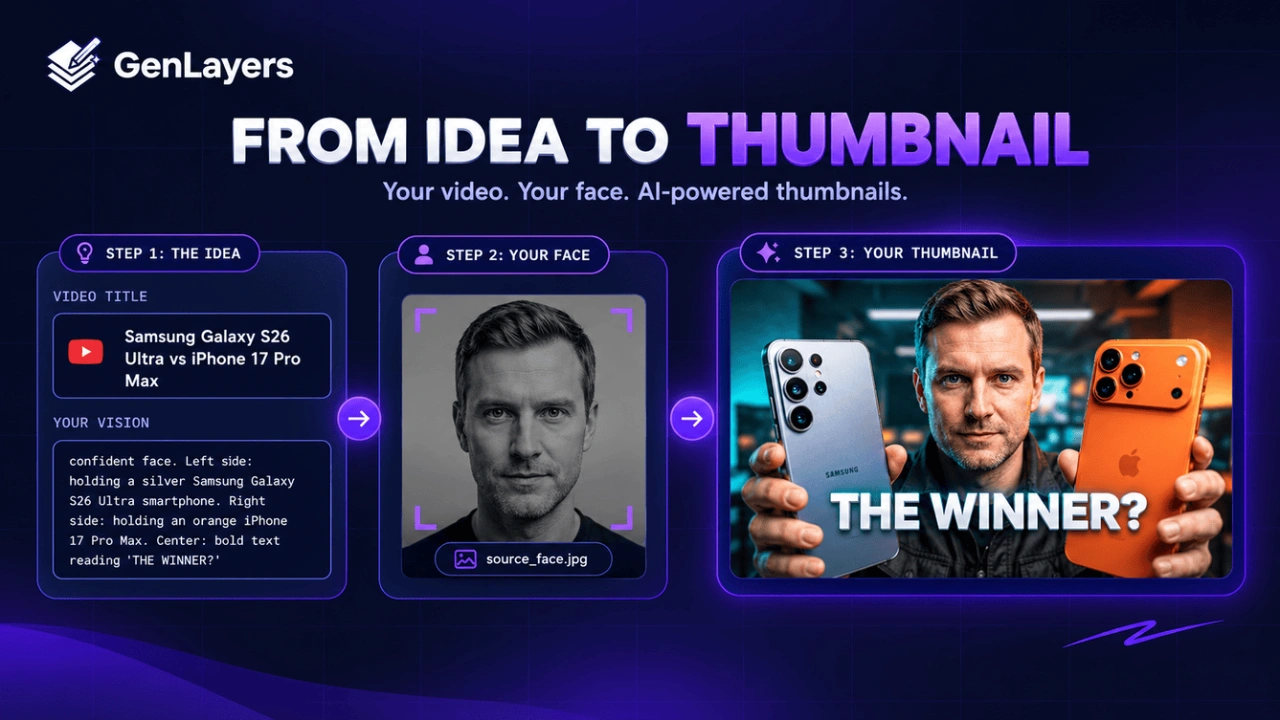
- Title to Thumbnail Generation: Enter a video title to have the AI build click-oriented visual concepts and compositions automatically.
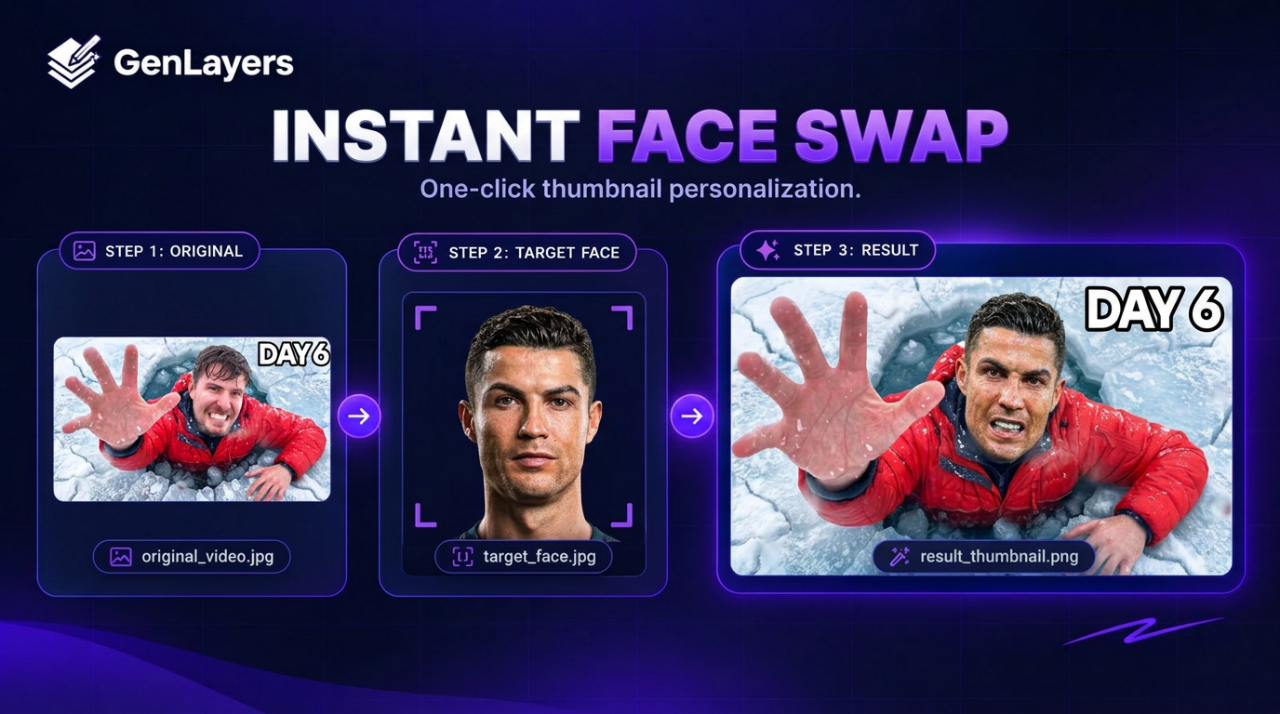
- Camio Face Integration: Upload casual selfies or face photos to place your likeness into any scenario with matching lighting and facial clarity.
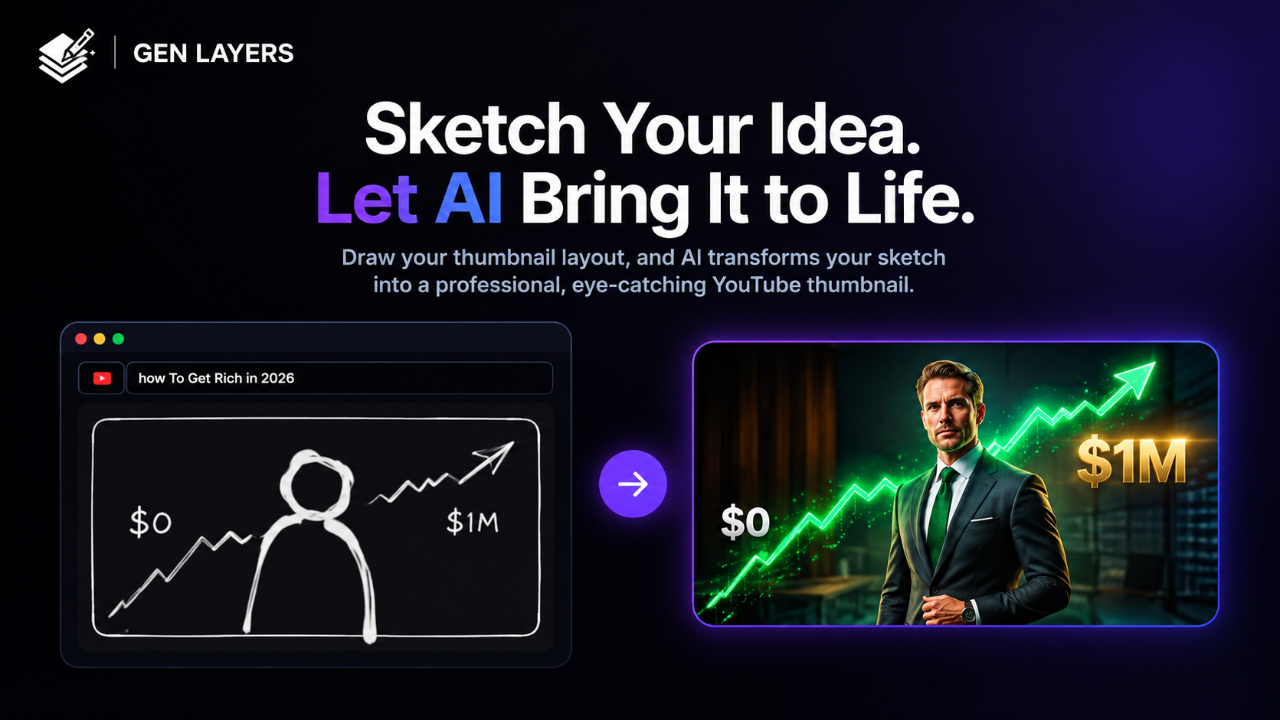
- Sketch to Layout: Draw rough positioning, emotions, and shapes to serve as a direct visual blueprint for the final thumbnail generation.
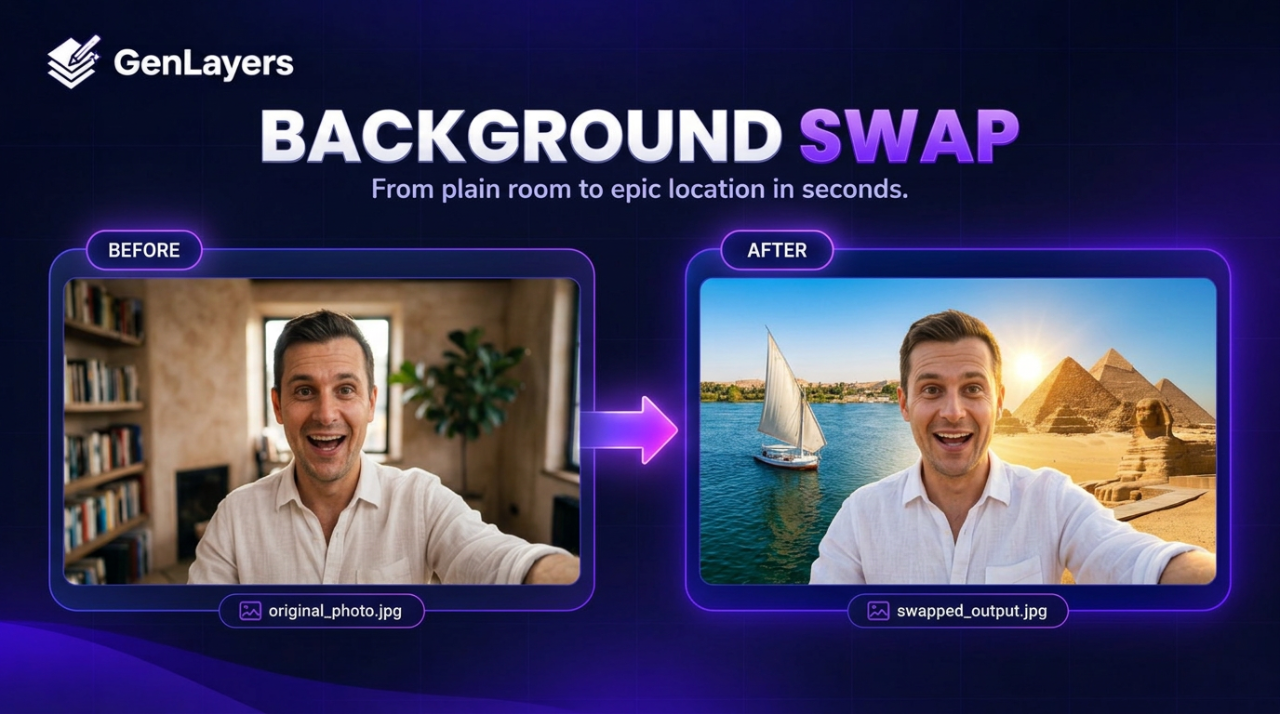
- AI Background Swap: Replace backgrounds instantly with global destinations or custom environments while maintaining natural edges and shadows.
- Live Thumbnail Editor: Make direct visual tweaks, fine-tune components, and refine details through fine-tune edit commands.
- Smart Typography: Generates bold, readable hook text overlays placed strategically to capture audience interest in feeds.
- Remix Tools: Swap faces, text, and backdrops to adapt proven visual concepts that perform well in your content niche.
How it works
- Input your video title, rough concept, sketch, or source face into the interface.
- Generate candidate thumbnail options, which consume studio generation credits.
- Open the thumbnail in the editor to swap backgrounds, insert faces, or tweak text with fine-tune edits.
- Export the final 16:9 graphic for direct upload to your YouTube video.
Use cases
Tech reviewers can place their own face alongside upcoming hardware mockups holding contrasting gadgets, complete with bold comparison text in the center, without physically owning the unreleased devices.
Travel vloggers or storytellers can swap their studio selfies against scenes like Paris, Tokyo, or historical landmarks while matching the ambient lighting and shadows naturally.
Creators with specific layout ideas can sketch basic stick figures and text placement on a digital canvas, allowing the AI to interpret the sketch into a polished, high-resolution thumbnail.
Pricing
GenLayers operates on a pay-as-you-go credit system with no recurring subscriptions. New accounts receive 200 free promotional credits upon sign-up. Studio image generations cost 20 credits each, and fine-tune AI edits cost 10 credits each. Paid packs include Starter at $4.90 for 600 credits (valid 2 months, public showcase), Creator at $7.90 for 1,000 credits (valid 4 months, private generations), and Pro at $14.90 for 2,000 credits (valid 6 months, private generations). All paid packages include a commercial usage license.
Alternatives
Compared to general AI image generators like Midjourney or ChatGPT, GenLayers focuses strictly on 16:9 YouTube thumbnail layouts, automated hook text, and specific features like face and background swaps rather than general art production.
FAQ
Do I need a monthly subscription to use GenLayers?
No. GenLayers uses a credit pack model where you pay once and use your balance over validity periods ranging from two to six months.
Can I use my own face in the generated thumbnails?
Yes. You can upload everyday phone selfies, and the platform adjusts lighting, expression, and resolution to fit your face into the chosen scene.
How many credits does each action use?
Creating a new studio generation costs 20 credits, while performing a fine-tune AI edit costs 10 credits.
Are free credits provided to test the platform?
Yes. New users receive 200 promotional credits upon registration to test thumbnail generations and editing tools.
Loading...
Related products
View all
BudgetPixel
AI image, video, and music generation on one account
1
Generative AI, AI Image Generation, AI Video
1
Generative AI, AI Image Generation, AI Video

Flux 3 Video Generator
Create AI videos from text, images, and references.
0
Generative AI
0
Generative AI


Pick Or Craft
Train & Share Custom AI Models
0
Generative AI, AI Image Generation, B2C
0
Generative AI, AI Image Generation, B2C


More categories
All categories







Launched in Week 51, 2026
See the week
InspectProHQ
The Complete Business Platform for Home Inspectors.
0
Real Estate, CRM, Invoicing
0
Real Estate, CRM, Invoicing
32d20h6m
Launches in32days
:20hours
:06mins
:28secs

Photo Collage Maker & Grid
Free collage maker: no watermark, no ads, works offline
0
Photo Editing
0
Photo Editing
32d20h6m
Launches in32days
:20hours
:06mins
:28secs

CoinBoss
Live crypto liquidations, open interest & funding
0
Crypto, Data Analytics, Analytics Tool
0
Crypto, Data Analytics, Analytics Tool
32d20h6m
Launches in32days
:20hours
:06mins
:28secs

Tennis Relics
Collect, trade, and battle with virtual tennis cards
0
Gaming, Sports, Entertainment
0
Gaming, Sports, Entertainment
32d20h6m
Launches in32days
:20hours
:06mins
:28secs