
EditTextImage
Edit text in images; keep font, color, perspective.
Screenshots
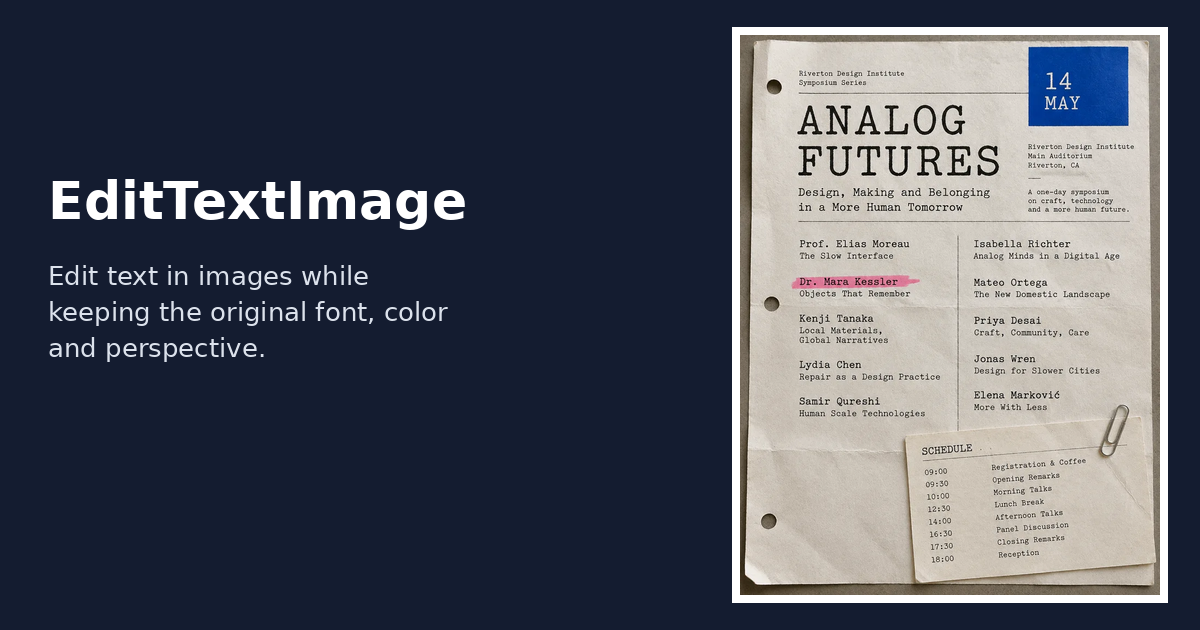
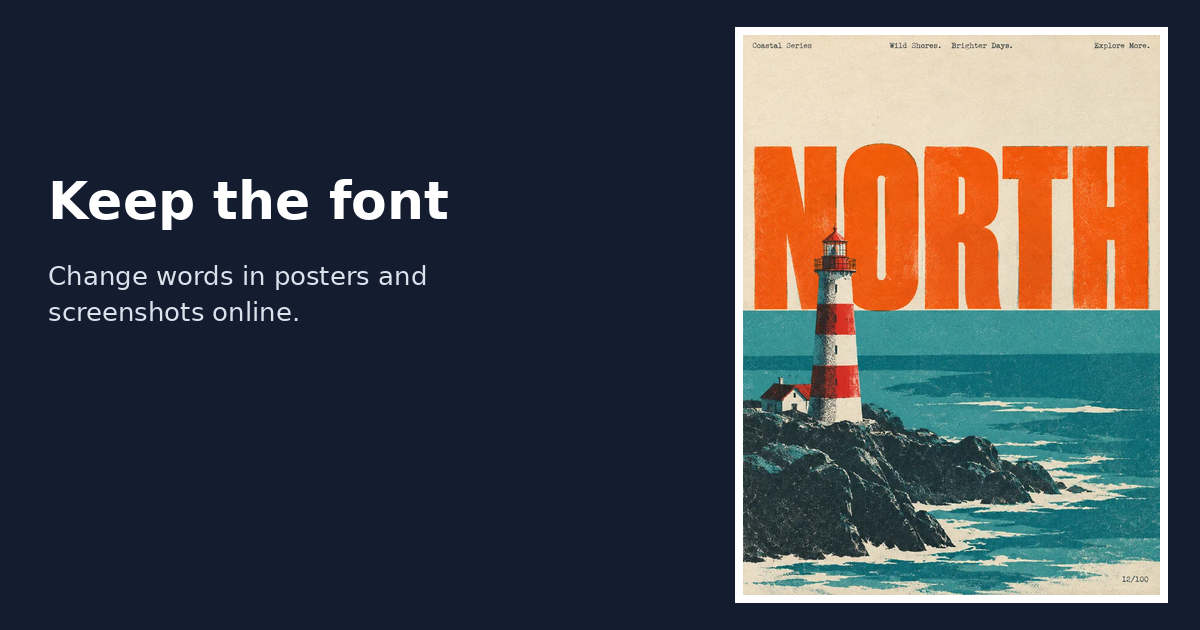
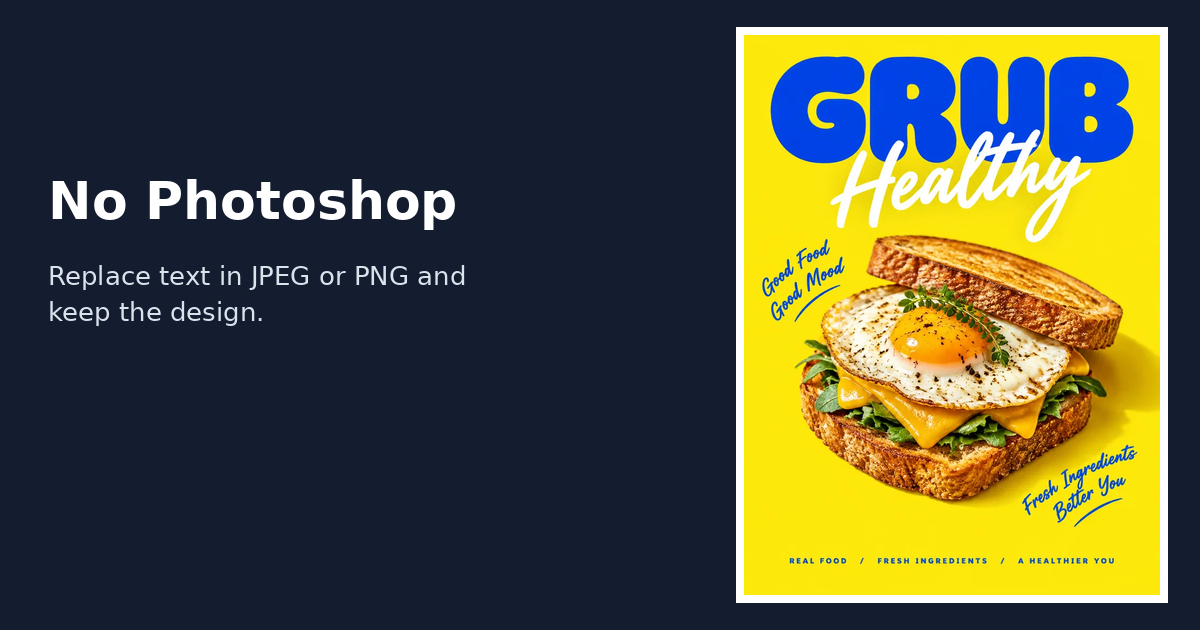
Freemium
Photo Editing
AI
Generative AI
Built with Next.js
What is EditTextImage?
EditTextImage is a web utility designed to replace, update, or translate text directly inside existing raster graphics. When you have a flat image file without source design assets or separated layers, altering text normally forces you to smear backgrounds, manually hunt down obscure typefaces, or reconstruct layouts inside complex photo manipulation suites. This application addresses that friction by automatically isolating the target letters and regenerating them in place.
The system operates by analyzing the typography, angle, color grading, shadows, and textures of the selected words. Rather than stamping a fresh text layer over your graphic, the model redraws the specific characters within the original scene perspective. This makes it possible to correct typos, revise dates, or tweak headlines on finished materials like flattened screenshots, packaging mockups, and printed signs while keeping neighboring pixels intact.
Who is it for?
EditTextImage serves individuals and teams dealing with finalized image assets that lack layered project files:
- Marketers and advertisers who need to test alternative headlines or update promotion terms on ad creatives.
- Ecommerce sellers updating product packaging shots, pricing stickers, or discount badges.
- Product teams needing to fix UI copy or labels on exported app screenshots without re-staging software environments.
- Event organizers who must alter dates, venue names, or speaker lists on finished promotional flyers and program schedules.
- Creators seeking to fix garbled, misspelled wording rendered by generative image platforms.
Key features
- In-Context Text Redrawing: Detects and redraws modified letters while keeping the surrounding typeface, color values, lighting, and dimensional perspective aligned with the source file.
- Automated Background Preservation: Fills and retains paper grain, digital interfaces, gradients, and natural photo textures right behind revised wording without manual masking.
- Multi-Format File Support: Accepts standard PNG, JPEG, and WebP graphics up to 10 MB in file size.
- Image Translation: Rewrites full blocks of text across an entire image into another language instead of forcing users to swap single phrases manually.
- Text Erasing and Concealment: Offers text removal with contextual background filling, along with local browser-based blurring or pixelation to obscure sensitive data.
- Auto-Refund Safety: Credits used during an unsuccessful generation are automatically restored to the user's account balance.
How it works
- Upload a flat PNG, JPEG, or WebP image under 10 MB to the editor.
- Type in the original text present in the image and input the target wording you want to substitute.
- Run the generator and download the updated image file with the altered text rendered in place.
Use cases
A marketing manager running social campaigns can revise a discount headline from 40% to 55% across existing ad banners to launch an A/B test quickly without waiting for a graphic designer to reopen source projects.
A software product manager realizes a legal disclosure changed after capturing several dozen app interface walkthroughs. Rather than setting up test devices and capturing the screens again, they can modify the specific sentence directly on the existing exported PNGs.
An event producer faces a last-minute venue or date change when printed posters and flat promotional materials have already been distributed digitally. They can swap the dates directly on the finished artwork while keeping stylistic display fonts intact.
Pricing
EditTextImage operates on a pay-as-you-go credit model with no recurring subscriptions. Every new user receives 1 free credit upon signing up, which produces a 1K resolution export (roughly 1024px on the longest edge). Paid credit bundles export in 2K HD resolution and include commercial use permissions. Available one-time packs include Starter at $14.90 for 40 credits ($0.37 per edit), Pro at $26.90 for 100 credits ($0.27 per edit), and Studio at $39.90 for 180 credits ($0.22 per edit). Credits do not expire, unused bundles can be refunded within 14 days, and custom rates are offered for orders over 1,000 credits.
Alternatives
Canva is a common alternative when designing graphics from scratch using stock elements and editable text fields, whereas EditTextImage focuses solely on replacing lettering directly inside pre-existing, flattened image assets.
FAQ
Can I try EditTextImage for free?
Yes, every registered account receives 1 complimentary credit to perform a single text replacement rendered at 1K resolution without submitting credit card details.
Do purchased credits expire?
No, purchased credits never expire and can be used at any point.
Loading...
Related products
View all
BudgetPixel
AI image, video, and music generation on one account
1
Generative AI, AI Image Generation, AI Video
1
Generative AI, AI Image Generation, AI Video

Digitalize Life
AI tools directory, independent reviews, and news
0
Directory, AI, News
0
Directory, AI, News




More categories
All categories



Launched in Week 1, 2027
See the week
DescribePicture
Online image description tool
0
Productivity
0
Productivity
53d20h6m
Launches in53days
:20hours
:06mins
:30secs

Image to Video 2.0
Turn any image into a cinematic AI video
0
AI Video
0
AI Video
53d20h6m
Launches in53days
:20hours
:06mins
:30secs

PidgyAI
AI email assistant, AI follow-up assistant, email follow-up,
0
AI
0
AI
53d20h6m
Launches in53days
:20hours
:06mins
:30secs

VARStats
Football match probability analytics and market comparison
0
Sports, Data Analytics
0
Sports, Data Analytics
53d20h6m
Launches in53days
:20hours
:06mins
:30secs